
White Background Product Photography: AI vs Studio — The 2026 Guide
Compare AI-generated vs traditional studio white background product photography. Real cost breakdowns, before & after results, and the fastest way to create e-commerce product photos.
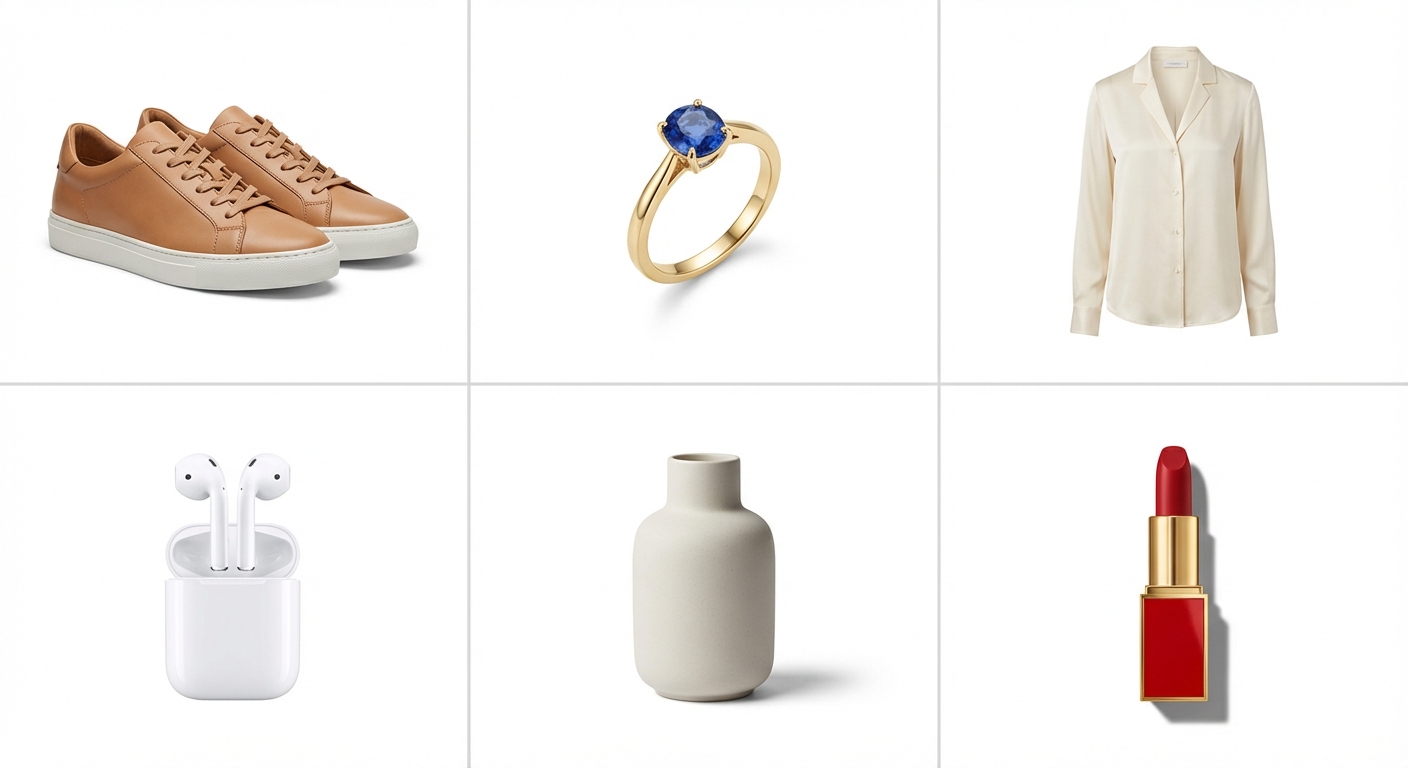
If you sell products online, you need white background product photography. Every major marketplace (Amazon, Shopify, eBay, Walmart) either requires or strongly recommends a clean white backdrop for your main product images. It’s the universal standard of e-commerce.
But how you create those white background photos is changing fast. Traditional studio shoots still work, but in 2026, AI-powered tools like Banana AI can deliver comparable results at a fraction of the cost and time. This guide breaks down three approaches: traditional studio, DIY with AI background removal, and fully AI-generated product photography, so you can pick the method that fits your budget, catalog size, and quality expectations.
Why White Background Photography Rules E-Commerce
White background product photos aren’t just a preference. They’re a requirement on the world’s largest marketplaces:
- Amazon mandates pure white backgrounds (RGB 255, 255, 255) for main listing images. Products must fill at least 85% of the frame with no text, logos, or watermarks.
- Shopify recommends consistent white background images at 2048×2048px for sharp rendering across all devices.
- eBay, Walmart, and Etsy all favor white backdrop photos in their search algorithms and style guides.
Beyond compliance, white background product photography directly improves conversion rates. According to marketplace data, listings with clean, professional white backdrop images see 20–30% higher click-through rates compared to photos shot against cluttered backgrounds. The reason is simple: a pure white backdrop removes distractions and puts every pixel of attention on your product.
There’s a visual psychology component too. White space around a product creates perceived value, the same principle luxury brands use in print advertising. A pair of earrings on a white backdrop with controlled shadow looks premium. The same earrings on a kitchen counter look like a garage sale listing. The background you choose frames the price your customer expects to pay.
White backgrounds also make your catalog look consistent. When a shopper scrolls through your store and every product sits on the same clean white surface with matching lighting, it signals professionalism and trust, two factors that directly influence purchase decisions. This consistency is especially important for stores with 50+ SKUs, where visual cohesion across product pages creates a brand experience rather than a random assortment.
The Traditional Studio Approach: Setup, Cost, and Limitations
Equipment for a White Backdrop Studio
A basic product photography setup requires:
- White backdrop — seamless paper roll or vinyl sweep ($30–$80)
- Lighting — two softbox lights or continuous LED panels ($150–$400)
- Camera — DSLR or mirrorless with a macro lens ($500–$2,000+)
- Tripod — for consistent framing ($50–$150)
- Reflectors / bounce cards — to fill shadows ($20–$50)
- Editing software — Adobe Lightroom or Photoshop ($10–$55/month)
Total one-time setup cost: $750–$2,700+, plus ongoing software subscriptions.
The Real Cost Per Image
The equipment is just the starting price. The real cost of traditional white backdrop photography includes:
| Cost Component | Per Image | Per 50-SKU Batch |
|---|---|---|
| Professional photographer | $25–$50 | $1,250–$2,500 |
| Post-production editing | $5–$15 | $250–$750 |
| Studio rental (if not in-house) | $3–$10 | $150–$500 |
| Total | $33–$75 | $1,650–$3,750 |
Freelancer rates based on average Fiverr and Upwork pricing (2025).
Even if you own all the equipment and shoot everything yourself, you’re still investing 15–30 minutes per product in setup, shooting, and editing. For a 50-SKU catalog, that’s 12–25 hours of hands-on work, time you could spend on sourcing, marketing, or customer service.
Limitations of Studio Photography
Traditional studio shoots have real constraints:
- Not scalable — adding 100 new SKUs means 100 new shoots
- Location-dependent — you need physical access to every product
- Inconsistent across batches — product photography lighting shifts between sessions, creating visible color and shadow differences
- Slow turnaround — 1–4 weeks for a full product catalog
- Impossible for pre-orders — you can’t photograph products you don’t have yet
For established brands with small, stable catalogs and generous budgets, studio photography remains the gold standard. But for fast-moving e-commerce sellers managing hundreds or thousands of SKUs, the traditional approach is becoming a bottleneck.
And there’s a hidden cost most guides don’t mention: reshoots. Products get updated, packaging changes, colorways expand. Every variation needs a new white background image. With traditional photography, that means rebooking the studio, re-renting the equipment, and re-editing the files. The per-image cost never goes down; it compounds with every catalog update.
3 Ways to Create White Background Product Photos in 2026
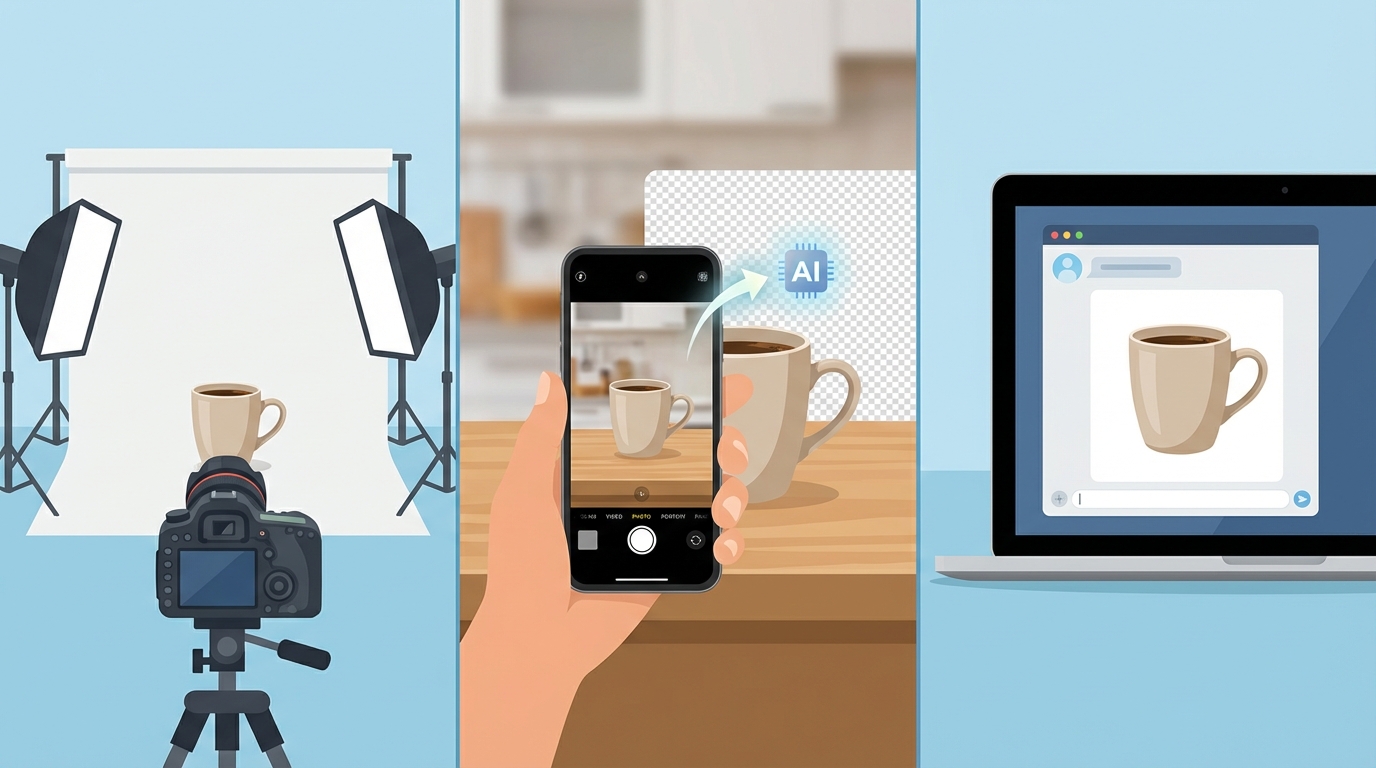
Method 1 — Traditional Photography Studio
Best for: Luxury brands, products requiring touch-and-feel detail (fabric texture, food styling), and catalogs under 50 SKUs.
You set up your white sweep, position your lights, and shoot each product individually. Then you process each image in Photoshop or Lightroom: adjusting white balance, removing imperfections, and ensuring the background hits pure white (RGB 255, 255, 255).
Pros: Maximum control over every detail. Handles reflective and transparent products (glass, jewelry) with specialized lighting techniques.
Cons: Expensive ($33–$75/image), slow (days to weeks), and scales poorly.
Method 2 — DIY Photo + AI Background Removal
Best for: Sellers who already have product photos with imperfect backgrounds and need a quick upgrade.
Shoot your products with a smartphone against any surface: your desk, a kitchen counter, even a cardboard box. Then use an AI background remover to strip the background in under one second and replace it with pure white.
The workflow is simple:
- Snap a photo of your product (good lighting helps, but isn’t critical)
- Upload to an AI background removal tool
- Download the clean white backdrop version
Pros: Fast, affordable, works with existing photos. Banana AI’s background removal tool processes images instantly with zero cost per removal.
Cons: Quality depends on your original photo. Bad lighting, blurry focus, or poor angles carry through to the final image. The AI removes the background but can’t fix the product’s presentation.
Method 3 — AI-Generated Product Photography
Best for: High-volume sellers, dropshippers without physical inventory, and anyone who needs consistent white backdrop photos across hundreds of SKUs.
This is where AI product photography changes the game. Instead of photographing your product and then editing the background, you upload a reference image — even a supplier photo or a rough smartphone snap, and describe the white background product shot you want. The AI generates a brand-new, studio-quality image from scratch.
With Banana AI’s photoshoot tool, the process looks like this:
- Upload a reference image of your product (any angle, any background)
- Describe what you want: “Product on pure white background, centered, soft studio lighting, clean drop shadow”
- Choose your model: Nano Banana 2 for fast 1K/2K images, or Nano Banana Pro for commercial-grade 4K output
- Download your finished white background product photo
Pros: No physical studio, no photographer, no editing. Consistent lighting and style across every image. Works even when you don’t have the product in hand. Costs as low as $0.02–$0.10 per image.
Cons: May not capture the exact texture nuances that a macro lens and specialized lighting can reveal, especially for high-end jewelry or fabric detail. For those cases, combine Method 1 for hero shots with Method 3 for catalog scale.
AI vs Studio — Side-by-Side Comparison
| Factor | Traditional Studio | DIY + AI Background Removal | AI-Generated Photography |
|---|---|---|---|
| Cost per image | $33–$75 | $0–$5 (smartphone + free removal) | $0.02–$0.10 |
| Speed | 1–4 weeks per batch | Minutes per image | Seconds per image |
| Quality ceiling | Highest (full control) | Limited by original photo | High (up to 4K commercial) |
| Consistency | Varies across sessions | Varies by source photo | Perfectly consistent |
| Scalability | Poor (linear time/cost) | Moderate | Excellent (batch capable) |
| Physical product required | Yes | Yes | No (reference image only) |
| Platform compliance | Manual verification | Depends on result | Built-in standards |
| Skill required | Photography + editing | Basic smartphone skills | Text description ability |
The bottom line: AI-generated white background photography delivers 90–95% of studio quality at 1–3% of the cost. For most e-commerce catalogs, that tradeoff is decisive.
The sweet spot for many sellers is combining methods. Use AI-generated photography for your full catalog of white background product images, then invest in traditional studio shoots only for your top 5–10 hero products where every micro-detail matters. This hybrid approach gets you 95% coverage at AI pricing and reserves your photography budget for the images that truly need it.
Before & After — AI White Background Product Photography Results
Here’s what AI-generated white background product photos actually look like across six common e-commerce categories. Each comparison shows a casual smartphone photo on the left and the AI-generated white background result on the right.
Footwear
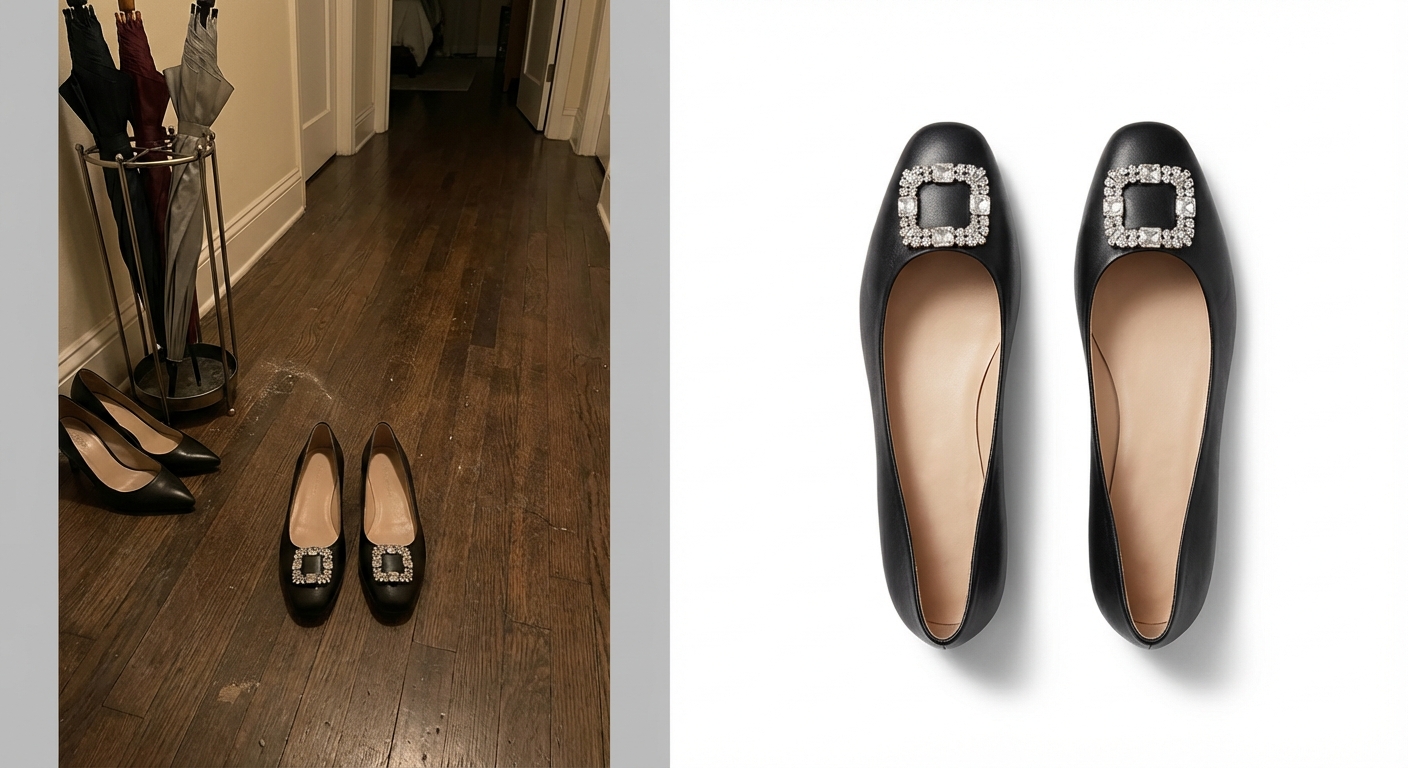
A pair of black ballet flats with crystal diamond buckle shot on a dark hallway floor versus the AI-generated version on pure white with controlled studio lighting. The AI captures the leather texture and sparkling buckle detail that would normally require specialized macro lighting. The output meets Amazon’s main image requirements without any post-production editing.
Jewelry
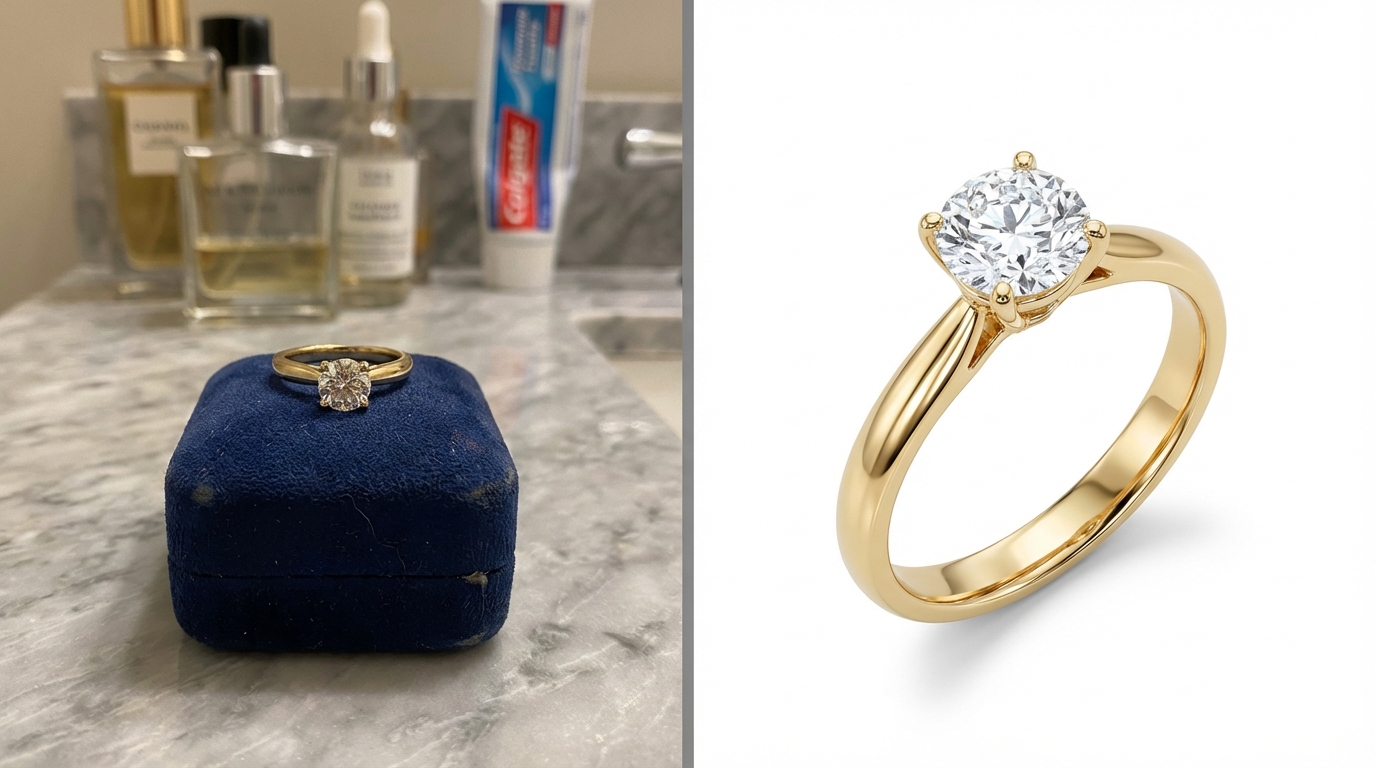
A gold engagement ring photographed on a bathroom counter under mixed lighting versus the AI-generated 4K white background version. The AI captures accurate gemstone brilliance and metal reflections that would normally require specialized macro photography equipment.
Clothing
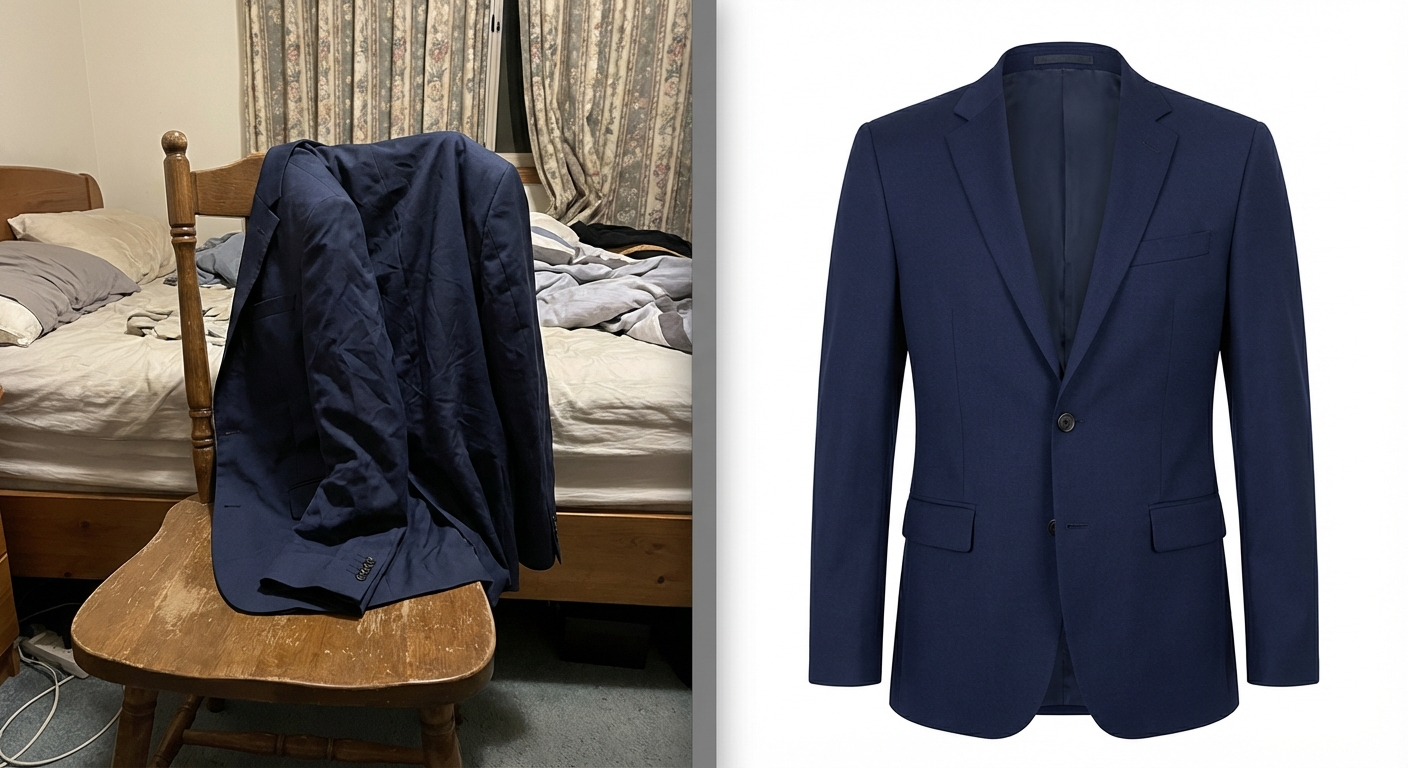
A navy blazer draped over a bedroom chair versus the AI-generated white background product shot showing proper garment shape on an invisible mannequin. This eliminates the need for a physical ghost mannequin setup, a technique that traditionally costs $15–$25 per garment. For even more advanced clothing visualization, you can use an AI clothes changer to show garments on diverse model body types.
Electronics
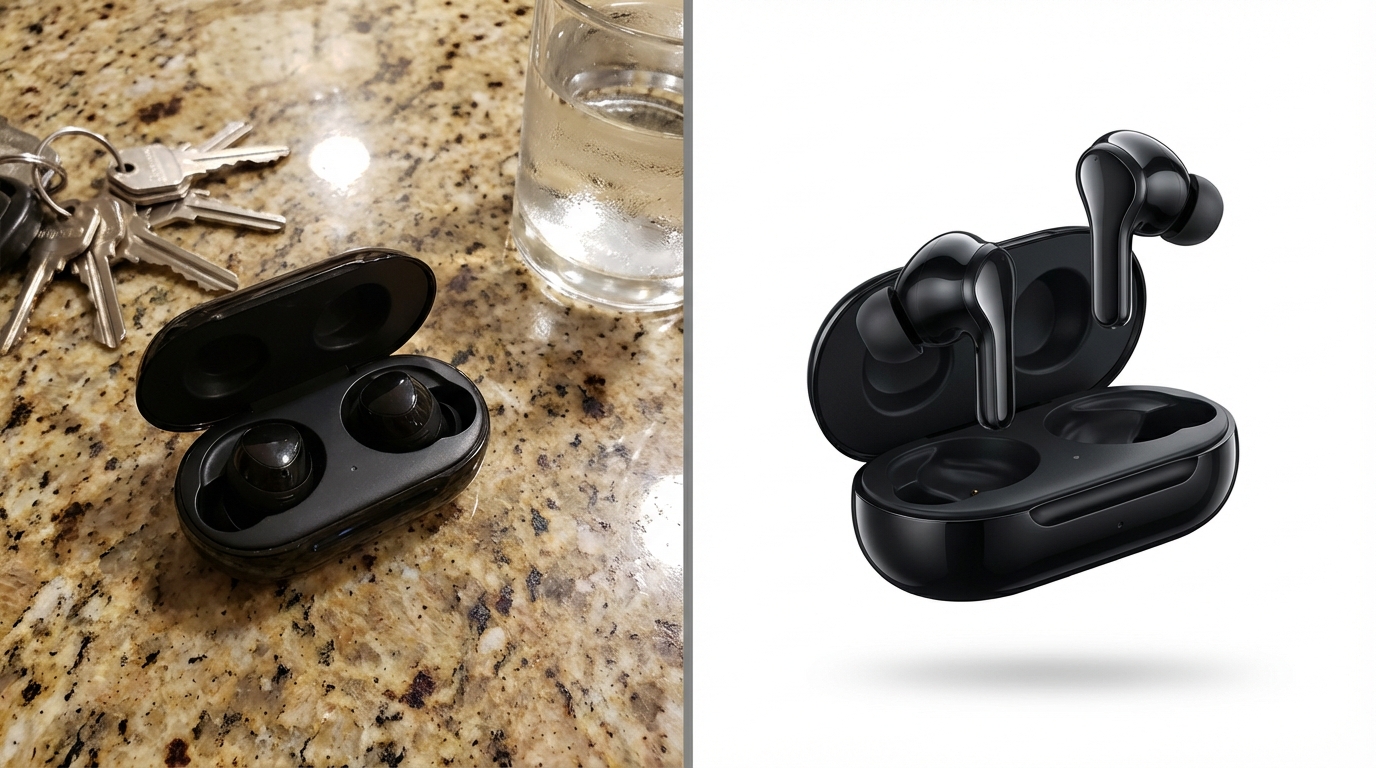
Wireless earbuds on a kitchen countertop versus the AI-generated version with controlled reflections and a clean floating shadow. The AI handles glossy, reflective surfaces without the light tent setup typically required for electronics photography.
Home & Kitchen
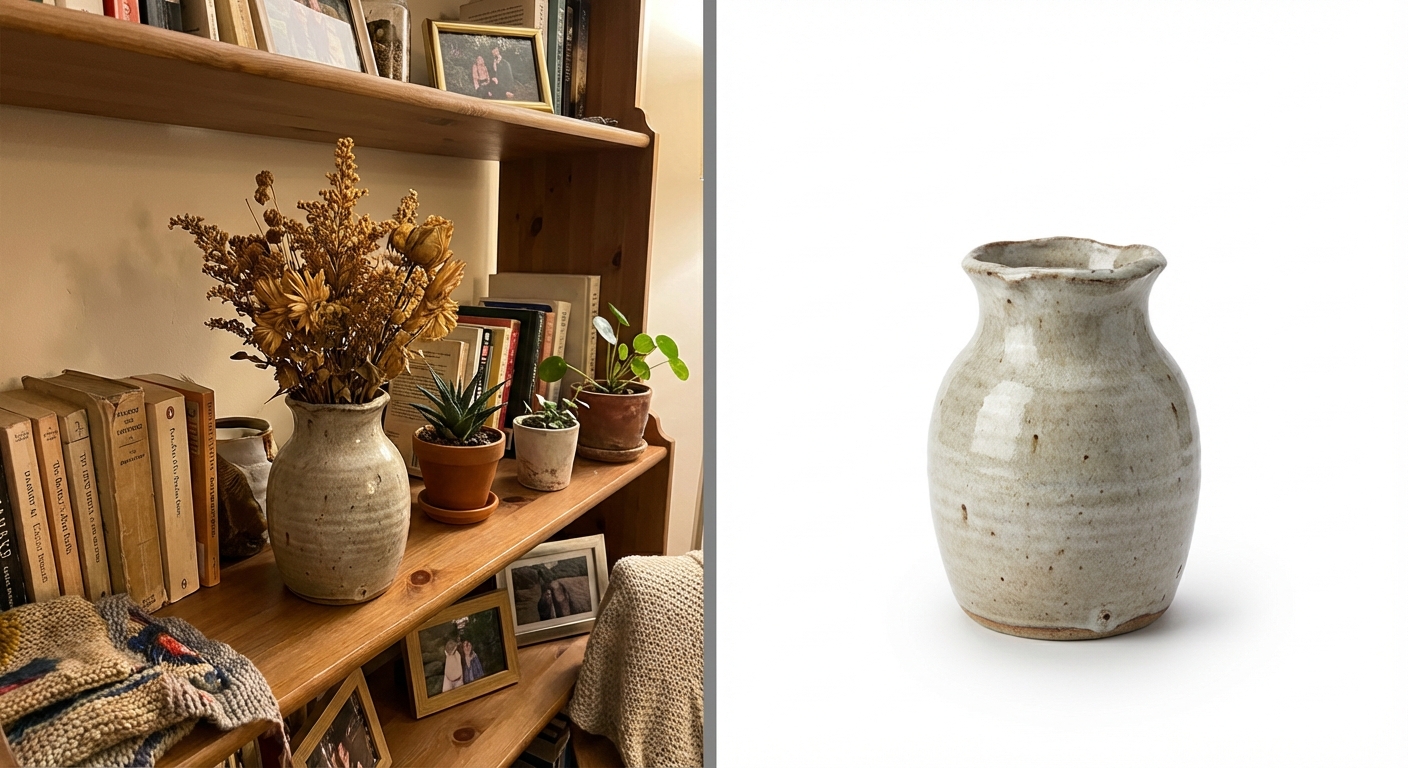
A ceramic vase on a living room shelf between books and decor versus the AI-generated white background catalog shot that reveals glaze texture and handmade details. The clean isolation makes it easy to add this product to a collection page alongside matching items.
Beauty & Cosmetics
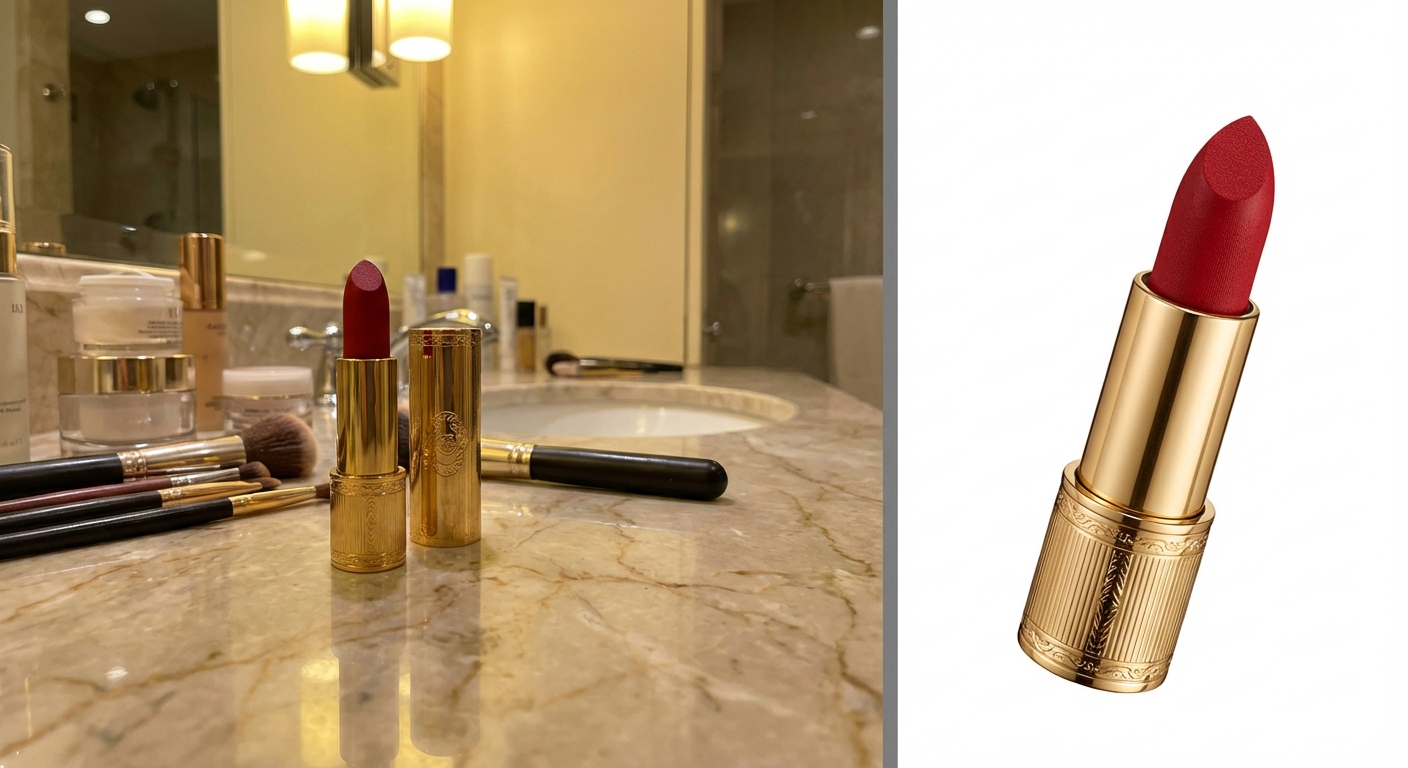
A lipstick tube on a bathroom counter versus the AI-generated beauty product shot with precise color accuracy and metallic finish detail. For cosmetics brands, color fidelity in product photography is critical. AI models like Nano Banana Pro are trained to preserve accurate product colors across skin tones, pigment shades, and packaging finishes.
White Background Photos That Meet Platform Standards
Amazon Main Image Requirements
Amazon’s product photography rules are strict:
- Background: Pure white (RGB 255, 255, 255) — no gradients, no off-white
- Product fill: Must occupy at least 85% of the image frame
- No extras: No text overlays, watermarks, logos, or borders
- Resolution: Minimum 1000px on the longest side (2000px+ recommended for zoom)
- File format: JPEG, PNG, TIFF, or GIF
AI-generated white background product photos inherently meet these requirements because the generation process starts from pure white, so there’s no background to remove or color-correct. For a detailed walkthrough of creating Amazon-ready images, see our Nano Banana Pro prompts for Amazon product photography guide.
Shopify Product Image Best Practices
Shopify gives sellers more creative freedom but still recommends:
- Dimensions: Square format (2048×2048px) for consistent grid layouts
- Style: White or light neutral background for main product images
- Consistency: Same lighting, angles, and background across all products in a collection
AI generation excels here because every image uses the same virtual lighting rig, producing perfectly consistent results across hundreds of products. For Shopify-specific prompt templates and sizing, check our Shopify product photography guide.
Beyond White: When to Add Context to Your Product Photos
White backdrop images are essential for your primary product listing, but they’re not the only images your listing needs. Most marketplace algorithms and conversion optimization experts recommend 5–7 images per product, mixing:
- Main image: White background product shot (required)
- Lifestyle images: Product in real-world context (living room, kitchen, outdoor)
- Detail shots: Close-ups of materials, textures, and features
- Scale reference: Product next to familiar objects for size context
For products that benefit from context — like kitchenware, home décor, or cosmetics — lifestyle compositions and scene-based images can complement your white background hero images. Flat lay photography works particularly well for accessories, stationery, and beauty products, where showing multiple items arranged in an overhead grid adds context without requiring complex staging. And for fashion and apparel, model-on photos outperform flat lay or white-background-only listings by showing fit and drape.
The good news: you don’t need three separate photography workflows for these different styles. Banana AI’s photoshoot tool generates white background shots, lifestyle scenes, and styled compositions from the same reference photo, so you can build a complete listing image set in one session without switching tools or re-uploading products.
How to Create AI White Background Product Photos — Step by Step
Step 1: Prepare Your Reference Image
Start with any image of your product: a supplier photo, a smartphone snapshot, or even a screenshot from your sourcing platform. The AI doesn’t need a perfect photo; it needs enough visual information to understand your product’s shape, color, and key details.
Tips for better results:
- Show the product from the angle you want in the final image
- Ensure the product is in focus (even if the background isn’t)
- Good lighting on the product helps, but isn’t required
Step 2: Open Banana AI and Describe Your Shot
Navigate to Banana AI’s chat interface and upload your reference image. Then describe the white background product photo you want:
“Generate a professional product photo of this [product] on a pure white background. Center the product, use soft studio lighting with a subtle drop shadow. E-commerce ready, high detail.”
The chat-based interface means you can refine your result conversationally. Ask for adjustments to the shadow, angle, or framing without starting over. For example:
- “Make the shadow softer”
- “Rotate the product slightly to show the logo”
- “Generate the same shot at a 45-degree angle”
This iterative approach mirrors how professional photographers work with art directors, except each iteration takes seconds instead of hours and costs fractions of a cent instead of reshoot fees.
Step 3: Choose Your Model and Resolution
| Model | Best For | Resolution | Speed | Credits |
|---|---|---|---|---|
| Nano Banana | Quick concept drafts, rapid iteration | 1K | 2–5s | 5 per image |
| Nano Banana 2 | High-volume catalog photos | 1K / 2K / 4K | 4–6s | 7–14 per image |
| Nano Banana Pro | Commercial hero shots, fine detail | 1K / 2K / 4K | 8–12s | 10–20 per image |
For most e-commerce white background photos, Nano Banana 2 at 2K resolution provides the best balance of speed and quality. Use Nano Banana for rapid concept drafts when iterating on composition or angle. Reserve Nano Banana Pro for hero images or products where fine detail matters (jewelry, watches, textiles).
Step 4: Download and Upload to Your Store
Your white background product photo is ready. Download it and upload directly to your Amazon listing, Shopify store, or any other marketplace. No post-production editing needed. The image already meets platform requirements.
For inspiration and ready-to-use prompt templates, browse our Prompt Library.
White Background Product Photography FAQ
Is a white background required for Amazon product photos?
Yes. Amazon requires pure white backgrounds (RGB 255, 255, 255) for main product images. Non-compliant images may be suppressed from search results. AI-generated white background product photos meet this requirement automatically.
How much does product photography cost in 2026?
Traditional studio product photography costs $33–$75 per image including photographer fees and post-production. DIY with AI background removal is nearly free if you shoot with a smartphone. Fully AI-generated product photography costs $0.02–$0.10 per image with Banana AI’s Pro plan at $9.9/month for 500 credits.
Can AI create white background product photos from scratch?
Yes. Modern AI models can generate professional white background product photos from a reference image and text description. The AI creates a new studio-quality image rather than just editing the background of an existing photo.
What resolution do I need for e-commerce product images?
Amazon requires at least 1000px on the longest side, with 2000px+ recommended for zoom functionality. Shopify recommends 2048×2048px square images. AI tools like Banana AI generate up to 4K resolution images that exceed all major platform requirements.
AI-generated product photos vs traditional photography — which is better?
Neither is universally better — and the smartest sellers use both. Traditional studio photography offers maximum control and is ideal for luxury brands with small catalogs where every texture detail matters. AI-generated photography is dramatically faster and cheaper, delivering commercial-quality results at scale. Most successful sellers in 2026 use AI for catalog-scale white background shots and reserve traditional photography for their top-selling hero products. The question isn’t “AI or studio” — it’s “how much of my catalog justifies studio pricing?”
Can I use AI-generated product images on Amazon and Shopify?
Yes. AI-generated product images are fully compliant with Amazon, Shopify, eBay, Walmart, and Etsy listing requirements. All images generated with Banana AI include a commercial-use license.
What’s the best background color for product photography?
White (RGB 255, 255, 255) is the universal standard for e-commerce main images. It ensures marketplace compliance, maximizes visual contrast for most products, and creates a consistent shopping experience across your catalog.
How do I remove the background from a product photo?
Upload your photo to an AI background remover that strips the background in under one second, leaving your product on a transparent or white canvas. Best results come from photos with good lighting and sharp focus on the product.
Stop Paying $50 Per Image — Start Creating for $0.10
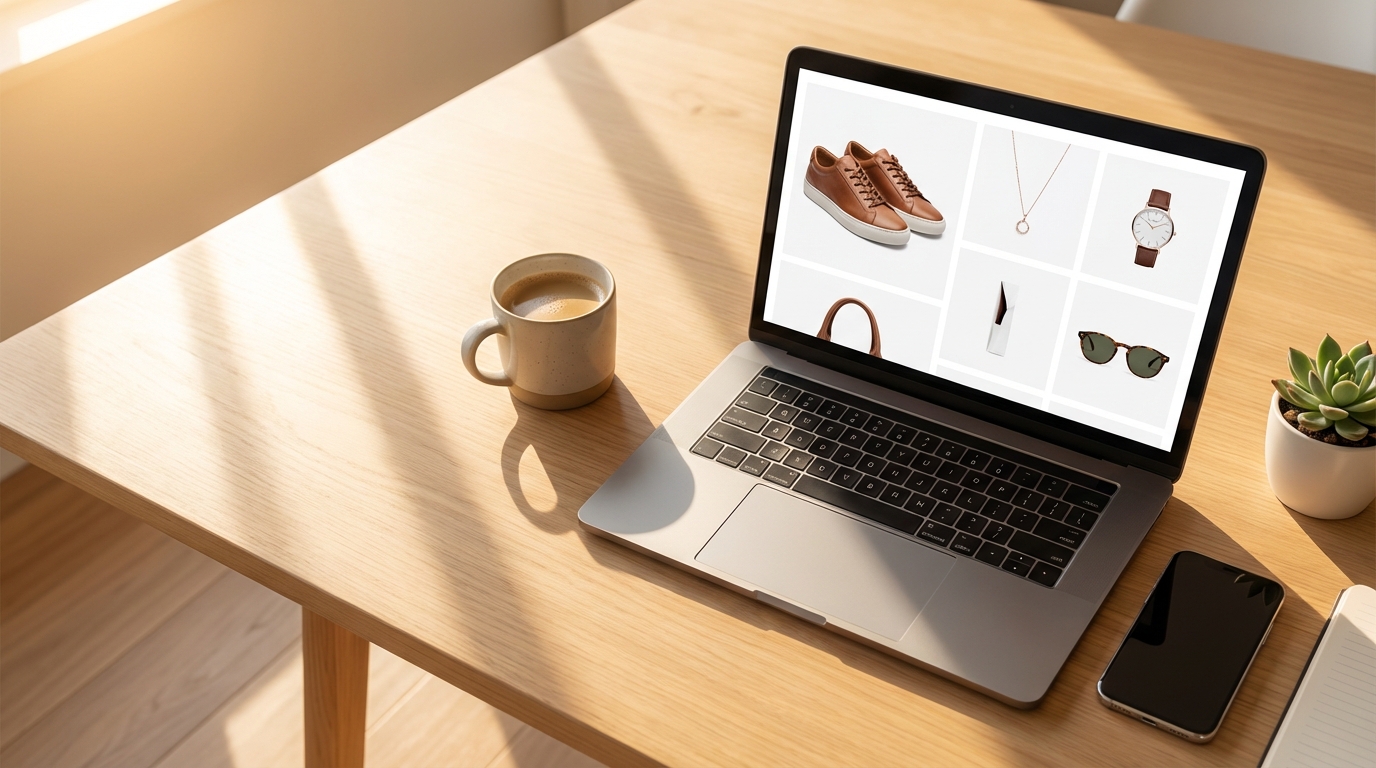
White background product photography doesn’t have to drain your budget or stall your product launches. The traditional studio approach still has its place for luxury hero shots, but for the vast majority of e-commerce catalog images, the hundreds or thousands of white backdrop product photos that keep your store running — AI-generated photography delivers professional results at a fraction of the cost and time.
Whether you choose AI background removal for existing photos or fully AI-generated product photography for new listings, the tools available in 2026 make professional-quality e-commerce images accessible to every seller, from solo dropshippers launching their first store to established brands scaling across marketplaces.
Ready to see the difference? Try a free AI photoshoot with Banana AI. Upload a reference image, describe the white background shot you want, and get a studio-quality product photo in seconds. Your first 10 images are free with a new account.