
Shopify Product Photography with AI — 6 Nano Banana Pro Prompt Templates for Your Store
Professional Shopify product photography used to cost $500+ per session. Learn how to use Nano Banana Pro prompts to create stunning store images — hero shots, lifestyle scenes, and collection banners — with AI.
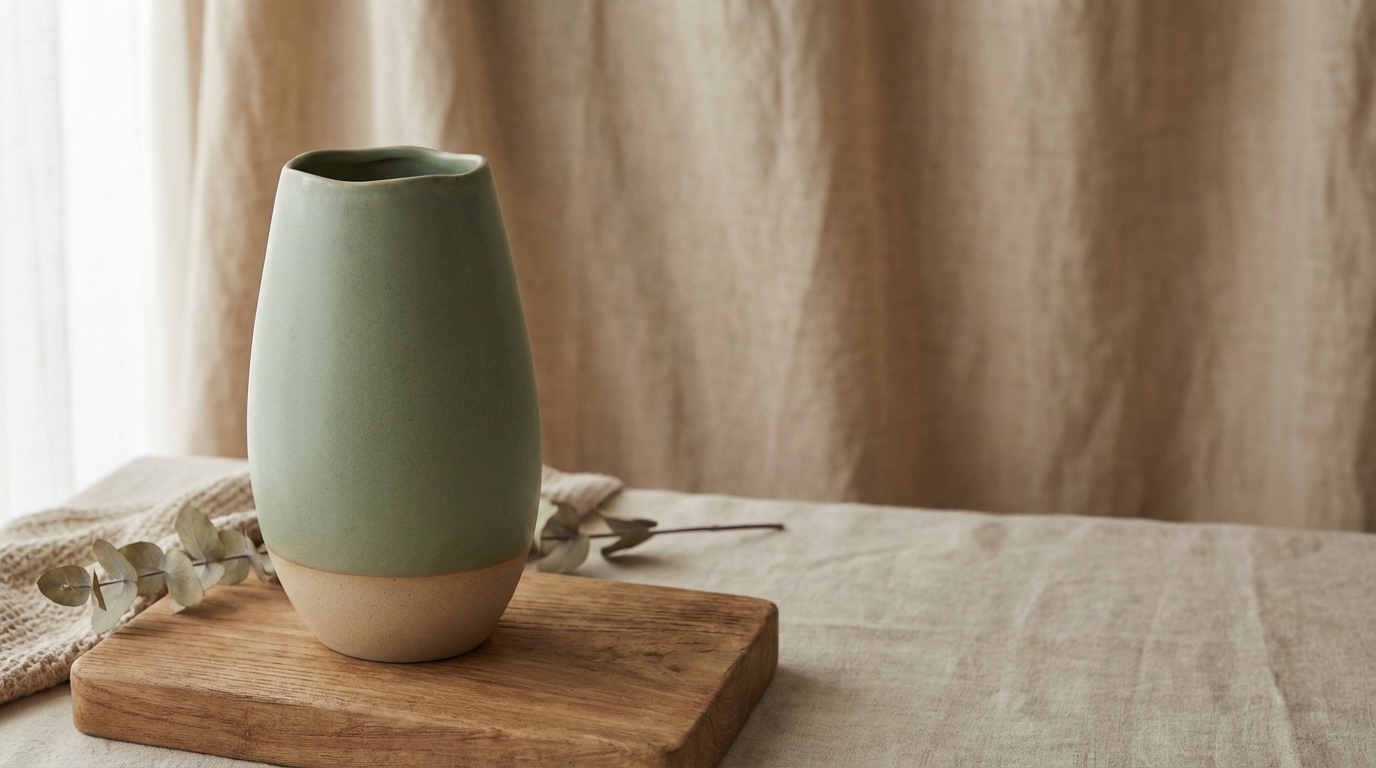
Professional shopify product photography runs $500 or more per session — and a full store launch with 6-8 photos per product can easily top $3,000 before you’ve sold a single unit. Nano Banana Pro, an ai product image generator built specifically for ecommerce, produces store-ready results in minutes. In this guide, you’ll get the exact prompt templates used to generate a complete 6-image Shopify product set — and the same visual anchor and reference chain techniques that keep your product looking identical across every image, every background, every scene.
What You’ll Learn
- How shopify product photography requirements differ from Amazon — and why this changes your entire visual strategy
- Why you can’t just reuse your Amazon listing photos on Shopify (and what to do instead)
- The visual anchor technique adapted for Shopify’s scene-based aesthetics
- 6 copyable Nano Banana Pro prompt templates for every Shopify image type
- How to reverse-engineer the visual style of top Shopify stores and apply it to your own products
- How to A/B test AI-generated product images to find your highest-converting creative
Shopify Product Image Requirements Quick Reference
Before writing a single prompt, know what you’re building toward. Understanding shopify product image size requirements is the foundation of effective shopify product photography. Shopify’s own documentation covers general website image sizes — background images, hero banners, logos — but says almost nothing specific about product photography. This section fills that gap.
Shopify Product Image Size Guide
| Image Type | Recommended Size | Max Size | Format | Aspect Ratio |
|---|---|---|---|---|
| Product hero (PDP) | 2048×2048 | 5000×5000 | WebP | 1:1 |
| Lifestyle scene | 2048×1536 | 5000×5000 | WebP | 4:3 |
| Feature callout (mobile) | 1638×2048 | 5000×5000 | WebP | 4:5 |
| Size reference | 2048×2048 | 5000×5000 | WebP | 1:1 |
| Mobile square variant | 2048×2048 | 5000×5000 | WebP | 1:1 |
| Collection banner | 2560×1440 | 5000×5000 | WebP | 16:9 |
Here’s how those aspect ratios look side by side — notice how each image type serves a different layout context across your Shopify store:
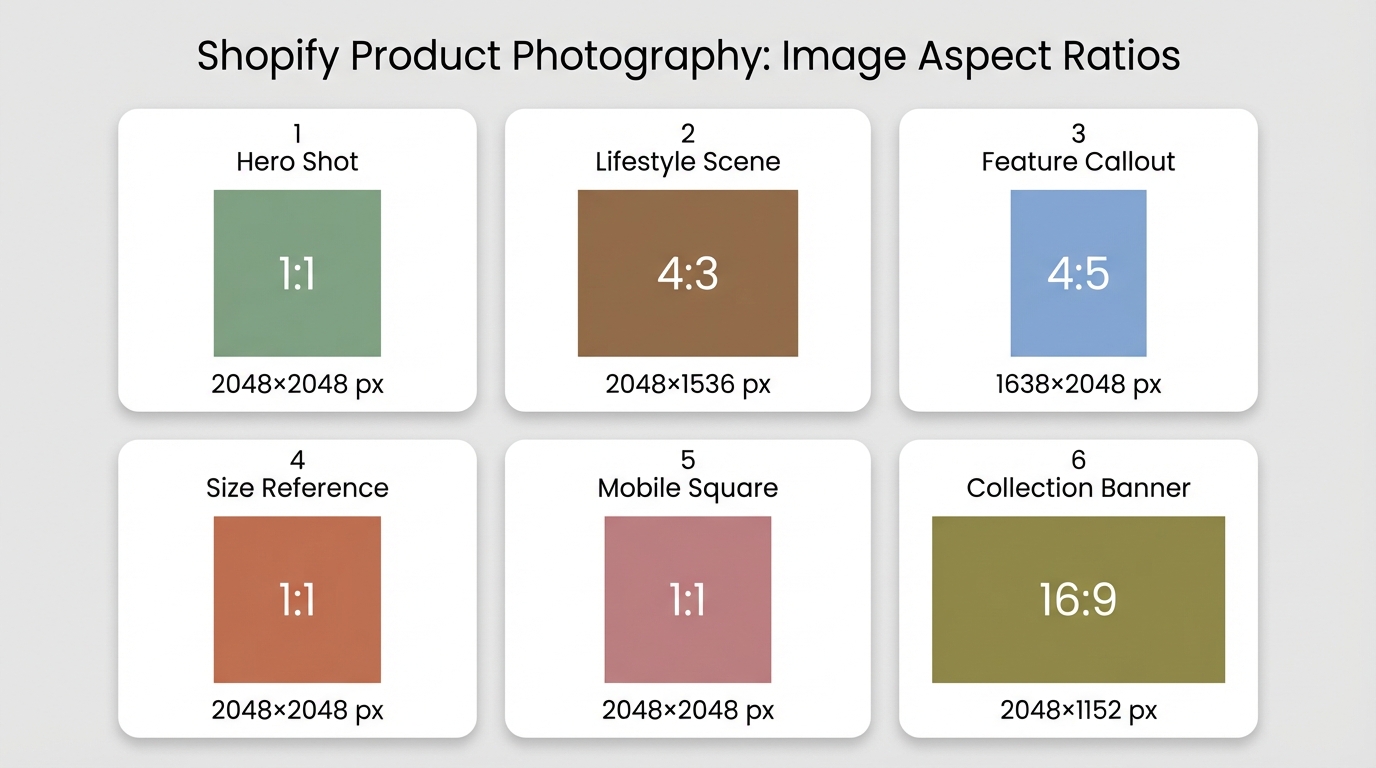
File size limit: 20MB per image. The optimal shopify product image size for most use cases is 2048×2048 pixels at the 1:1 ratio — large enough for clean zoom functionality but small enough for fast loading. Format priority: WebP first — Shopify’s CDN serves WebP natively and it typically cuts file size 25-30% compared to JPEG at the same visual quality, which matters for page load speed and Core Web Vitals.
How Many Photos Per Product?
Shopify allows up to 250 images per product (compared to Amazon’s 7-9 slots). The practical sweet spot for most DTC stores is 6-8 images per product:
- 1 hero shot (styled, brand-aligned background)
- 2 lifestyle scenes (different settings, same product)
- 1 feature callout graphic
- 1 size/scale reference
- 1 mobile-optimized square
- 1-2 collection banner variants
Shopify vs Amazon Quick Comparison
| Dimension | Amazon | Shopify |
|---|---|---|
| Main image background | Pure white (RGB 255,255,255) required | Branded, scene-styled — encouraged |
| Images per product | 7-9 slots | Up to 250 |
| Max image size | 10,000px | 5,000×5,000px |
| Recommended format | JPEG | WebP |
| Visual strategy | Compliance-driven, standardized | Brand-driven, conversion-focused |
| Mobile layout | Uniform platform layout | Responsive — portrait and square variants matter |
The core difference: Amazon punishes you for creativity on the main image. Shopify rewards it.
Amazon vs Shopify: Why You Can’t Use the Same Photos
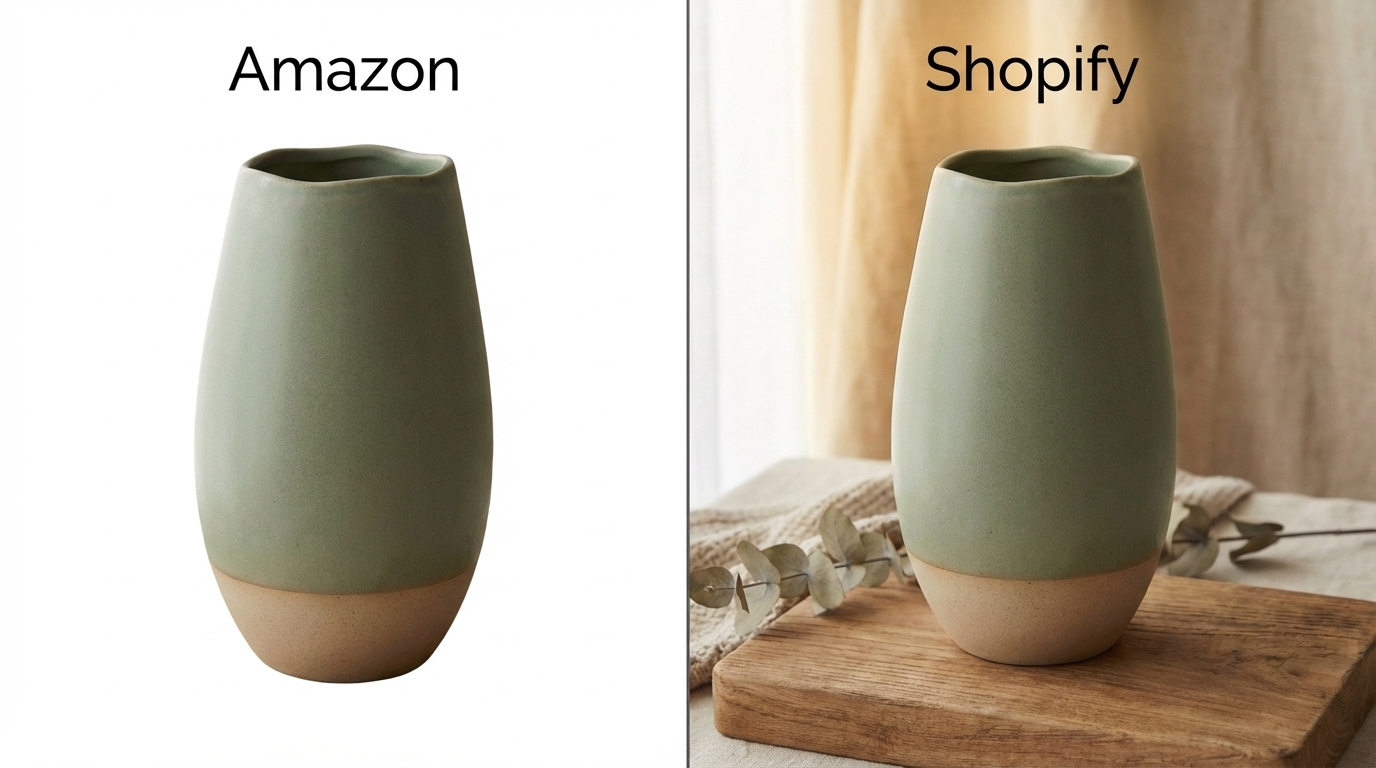
This is the mistake most sellers make when they launch on Shopify after building an Amazon presence. They export their Amazon listing images, drop them into Shopify, and wonder why their conversion rate is flat.
It’s not a traffic problem. It’s a shopify product photography strategy problem rooted in buyer psychology.
Two Different Buying Modes
Amazon buyers are in search mode. They typed a product into a search bar. They’re comparing specifications. The pure white background requirement isn’t arbitrary — it removes visual noise so the customer can evaluate your product against three other listings in the same grid. The buying decision is rational: this product has the right dimensions, the right price, enough reviews. The white background is a neutral stage for that evaluation.
Shopify buyers are in discovery mode. They arrived via a Facebook ad, an Instagram story, a Pinterest pin, or a TikTok. They weren’t searching for your product — your product interrupted their scroll and made them curious. The decision to click, then to buy, is primarily emotional: I want the lifestyle in that photo. The product is almost secondary to the scene.
This means that your Amazon primary image — perfectly lit product on pure white — looks clinical and cold on a Shopify product detail page. It signals “I grabbed these from an AliExpress supplier listing,” which is exactly the opposite of the brand story you’re trying to tell.
What Shopify Images Actually Need to Do
On Shopify, your images do three jobs your Amazon images were never designed for:
- Establish brand identity — Every image is a brand touchpoint. Consistent color palette, consistent lighting mood, consistent aesthetic voice. This is what separates a DTC brand from a generic reseller.
- Trigger emotional aspiration — The lifestyle image isn’t showing how the product works. It’s showing who the buyer becomes when they own it.
- Reduce purchase anxiety without returns — Because Shopify customers can’t touch the product, images carry the full burden of communicating texture, scale, and quality. A size reference graphic that shows your product next to a coffee mug does more conversion work than three paragraphs of copy.
If you’re selling on both platforms, you need two distinct image sets. For a complete breakdown of the Amazon side, see our complete Amazon listing image guide. This guide covers the Shopify-specific visual system.
The Alibaba Stock Photo Problem
Most sellers who source from AliExpress or Alibaba receive product images from their supplier. These images are simultaneously available to every other seller on the platform. Shopify buyers — especially on paid social — have a finely tuned radar for generic Alibaba stock photos. The moment they recognize the image, trust collapses.
AI product photography solves this not just by cutting costs, but by giving you visual assets that no competitor has. Your product, in your aesthetic, with your brand voice — generated in minutes.
The Visual Anchor Technique for Shopify
If you’ve read our Amazon listing guide, you already know the visual anchor concept. Here’s the short version: your first image — the hero shot — establishes exactly what your product looks like. Every subsequent image references that first image to maintain consistency.
On Amazon, the visual anchor lives on a white background. In shopify product photography, it lives in a styled scene — and that change introduces a new challenge: how do you keep your product looking identical when the background is no longer neutral?
The answer is the same reference image technique, applied to a different context.
How the Shopify Reference Chain Works
01-hero  →  02-lifestyle (ref: 01)
         →  03-features (ref: 01)
             03-features  →  04-size-ref (ref: 01 + 03)
                          →  05-mobile-square (ref: 01 + 03)
06-collection-banner (ref: 01)
You generate your hero shot first — this is your visual anchor. Every lifestyle image attaches the hero shot as a reference and instructs Nano Banana Pro to maintain identical product appearance. The features graphic also attaches the hero shot, and additionally establishes your typography baseline. The size reference and mobile square images attach both the hero shot and the features graphic — product consistency plus typography consistency. The collection banner gets the hero shot reference only.
The key phrase you’ll use in every non-hero prompt is: “Using the attached image as the exact product to feature — maintain its identical appearance.” This tells the model to treat the reference as ground truth, not as stylistic inspiration.
For a deeper dive into the visual anchor methodology, the Nano Banana Pro prompt library includes category-specific anchor description templates.
Scale Reference — The Shopify-Specific Addition
On Amazon, the buyer already has a sense of scale from the category context. On Shopify, they don’t. A ceramic vase that looks elegant in a lifestyle photo could be 4 inches tall or 14 inches tall — and “not the size I expected” is one of the top return reasons for Shopify stores.
In every lifestyle and size-reference prompt, include an explicit scale note: “The product is approximately 25cm tall — roughly the height of a standard wine bottle.” This prevents the model from guessing at proportions and prevents your customer from being surprised when the package arrives.
6 Nano Banana Pro Prompt Templates for Shopify
These six prompt templates produce a complete set of shopify product photography assets. Each type uses a distinct aspect ratio suited to its placement in the store. The visual anchor and reference chain techniques from the previous section are built into each template — the dependency arrows show which images need to be generated first.
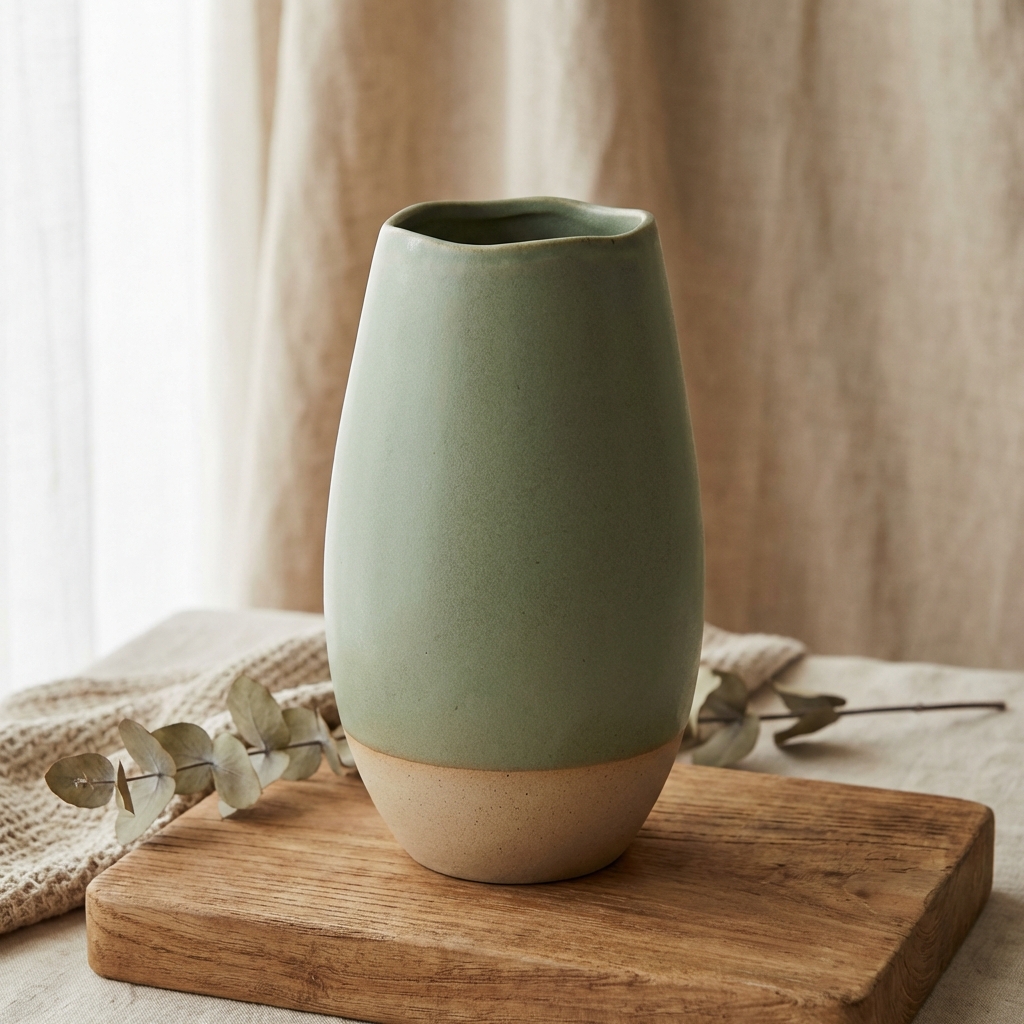
Type 1: Hero Product Shot — Your Visual Anchor
Aspect ratio: 1:1 (2048×2048) | References: None
This is the only image you generate without a reference. It becomes the source of truth for every image that follows. Unlike Amazon’s white background requirement, Shopify wants you to establish brand aesthetic from the first image — choose a background and lighting style that matches your store’s visual identity.
Create a stunning product hero shot for [Your Product Name] for use on a Shopify store product page. Place the product on a styled [store aesthetic — e.g., "neutral concrete surface with warm side lighting"] background — NOT a plain white background. Use [scene style — e.g., "centered hero composition with soft diffused light"]. The product is [your visual anchor description — 2-3 sentences describing shape, materials, colors, and key design details]. The product color is [primary color].
The visual anchor description is the critical piece. Write 2-3 sentences that describe your product precisely: shape, material finish, color, any distinguishing design details. You will not include this description in subsequent prompts — instead, you’ll attach this image as a reference. But the precision of this description determines the quality of the anchor.
Type 2: Lifestyle Scene
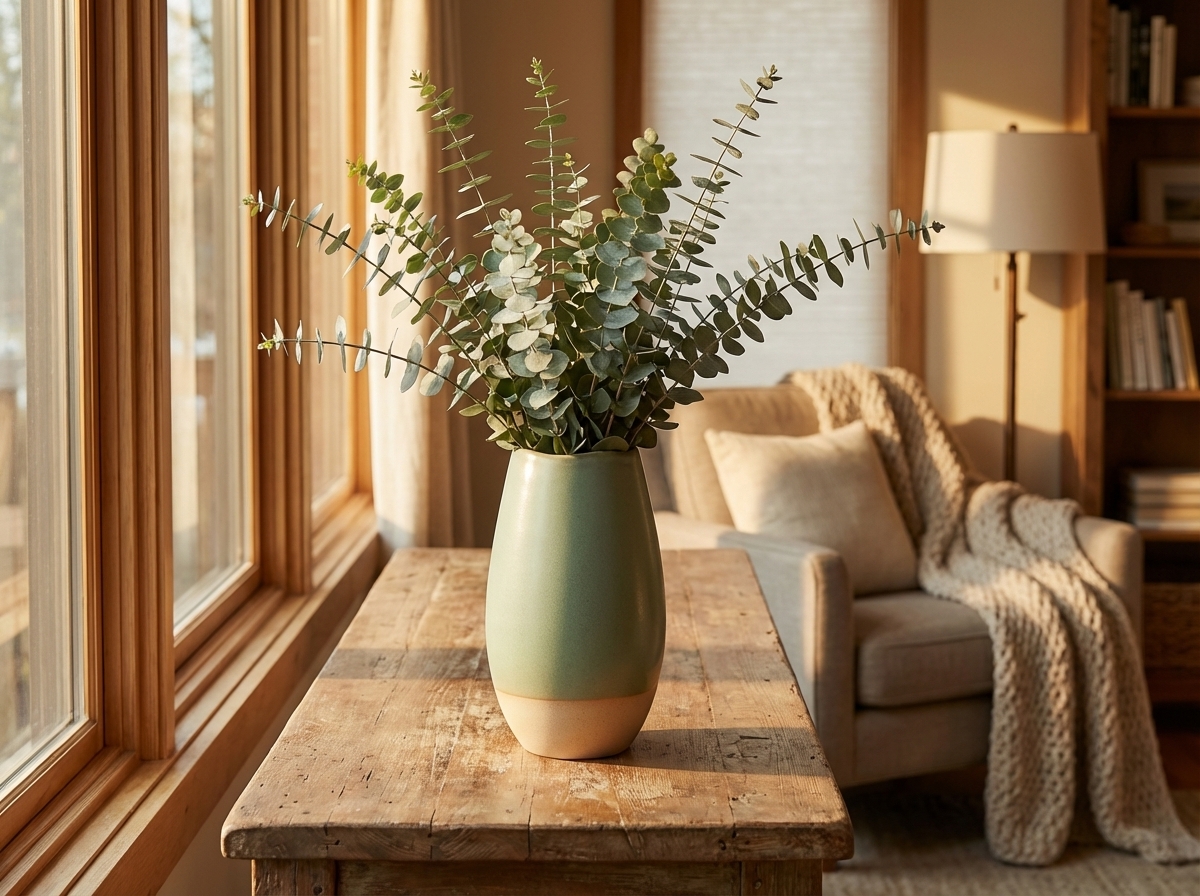
Aspect ratio: 4:3 (2048×1536) | References: Attach 01-hero
Using the attached image as the exact product to feature — maintain its identical appearance. Create a lifestyle image for a Shopify store showing this product with a [target customer avatar — e.g., "wellness-focused millennial woman"] in a [setting — e.g., "sunlit Scandinavian living room with linen and wood textures"]. The product is [physical dimensions — e.g., "approximately 25cm tall"], [scale reference — e.g., "roughly the height of a wine bottle"] — it should appear at realistic scale relative to the furniture and person in the scene. [Atmosphere — e.g., "warm golden hour light, earthy cream tones, cozy lifestyle atmosphere"].
The customer avatar and setting should reflect the lifestyle your brand is selling, not just the product’s function. A candle is also a home decor object. A water bottle is also a gym accessory. A ceramic vase is also a statement piece in a curated living room setting. The more precisely you describe who is in the scene and where they are, the more your target customer sees themselves in the image.
Type 3: Feature Callout — Typography Baseline
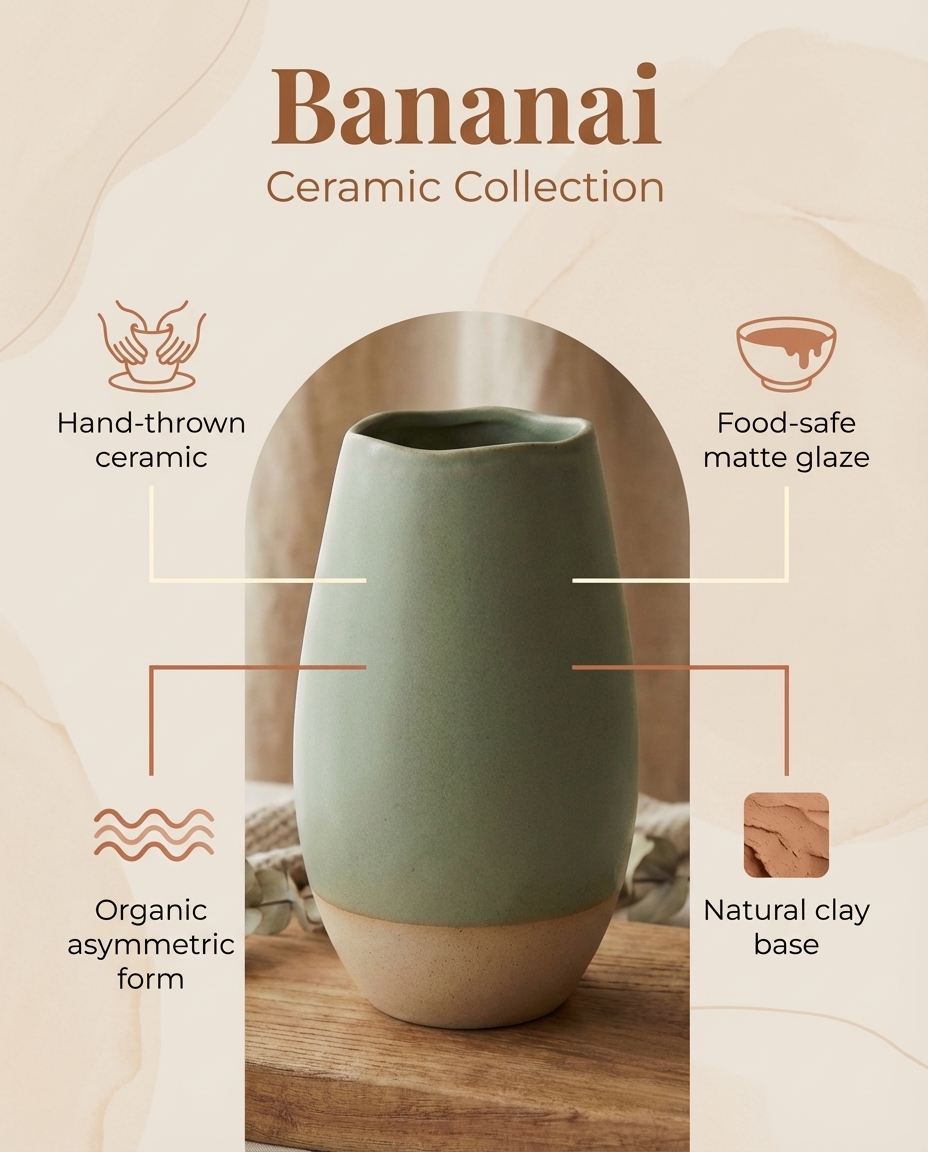
Aspect ratio: 4:5 (1638×2048) | References: Attach 01-hero
This is the first image with significant text — which makes it strategically important beyond communicating product specs. This image establishes your typography baseline: font choices, text hierarchy, color palette, and layout language. Every subsequent graphic image will reference this one for visual consistency. Get the typography right here and the rest of your graphic set follows automatically.
Using the attached image as the exact product to feature — maintain its identical appearance. Make a clean aesthetic features graphic for a Shopify product page, optimized for mobile viewing. Highlight the following features: [feature 1], [feature 2], [feature 3], [feature 4]. Render the brand name '[Brand Name]' prominently at the top in a [font name — e.g., "Playfair Display Bold"] font, [color — e.g., "warm brown #5D4E37"] color. Subtitle text should use [subtitle font — e.g., "clean Montserrat Light"]. All body text should use [body font — e.g., "clean sans-serif Montserrat"]. [Atmosphere — e.g., "clean modern infographic style, warm earthy palette, clear visual hierarchy"]. Include the brand name '[Brand Name]' prominently.
Name your fonts explicitly. Nano Banana Pro’s text rendering responds significantly better to specific font names — “Playfair Display Bold” produces more consistent results than “an elegant serif.” If you have a brand font that isn’t widely known, specify a similar well-known font as a fallback. Specify your exact brand color hex code.
Save this image. You’ll attach it as a second reference in the next two prompt types.
Type 4: Size/Scale Reference
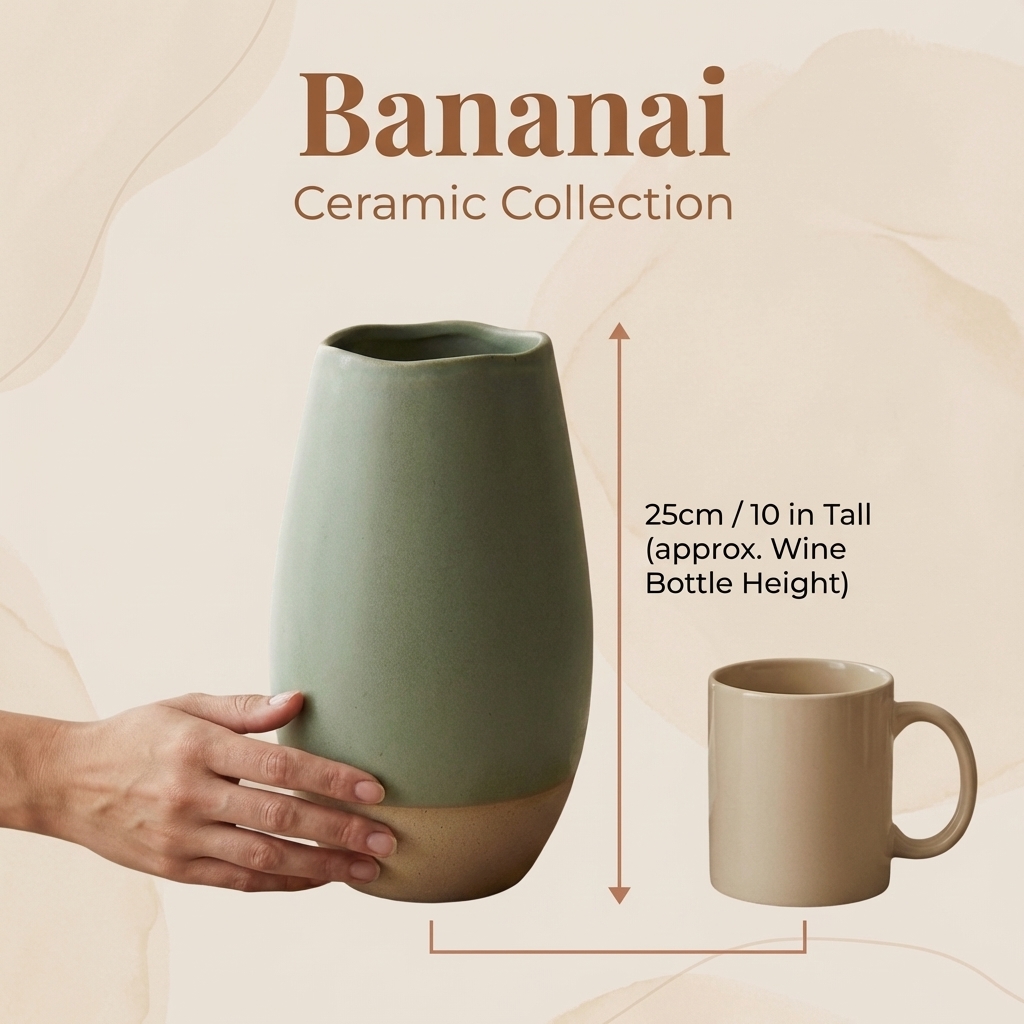
Aspect ratio: 1:1 (2048×2048) | References: Attach 01-hero + 03-features
This image type has no equivalent in Amazon listings — it’s a Shopify-specific addition that directly addresses one of the most common return triggers: “it wasn’t the size I expected.” Show your product next to a familiar household object — a coffee mug, a hand, a standard book — so the buyer has an intuitive sense of scale before they purchase.
Using the attached images as references — first image is the exact product (maintain identical appearance), second image is the design style guide (match its typography, layout language, and color palette). Make a clean aesthetic size reference graphic for a Shopify product page, optimized for mobile. Show the product next to common household objects for scale — such as a coffee mug, a hand, or a book. The product is [physical size — e.g., "approximately 20cm tall, 8cm diameter"], [scale reference — e.g., "roughly the height of a standard wine bottle"]. Include the brand name '[Brand Name]' prominently. [Atmosphere — e.g., "clean informative layout with subtle measurement annotations, brand-consistent typography"].
Type 5: Mobile-Optimized Square
Aspect ratio: 1:1 (2048×2048) | References: Attach 01-hero + 03-features
More than 70% of Shopify traffic is mobile. This image is designed specifically for thumb-scrolling product galleries — a different angle or close-up detail that rewards the buyer who keeps swiping. It also works natively for Instagram and Pinterest, which means every product image you generate for your store becomes a ready-to-use social asset.
Using the attached images as references — first image is the exact product (maintain identical appearance), second image is the design style guide (match its typography, layout language, and color palette). Make a clean aesthetic product showcase graphic optimized for mobile viewing. Show the product from a different angle or in a close-up detail view highlighting [specific detail — e.g., "the texture of the ceramic glaze" or "the precision stitching at the seam"]. Include the brand name '[Brand Name]' prominently. Clean and focused composition with generous negative space. [Atmosphere — e.g., "focused detail-oriented composition, matte surface texture, minimal text, maximum visual impact"].
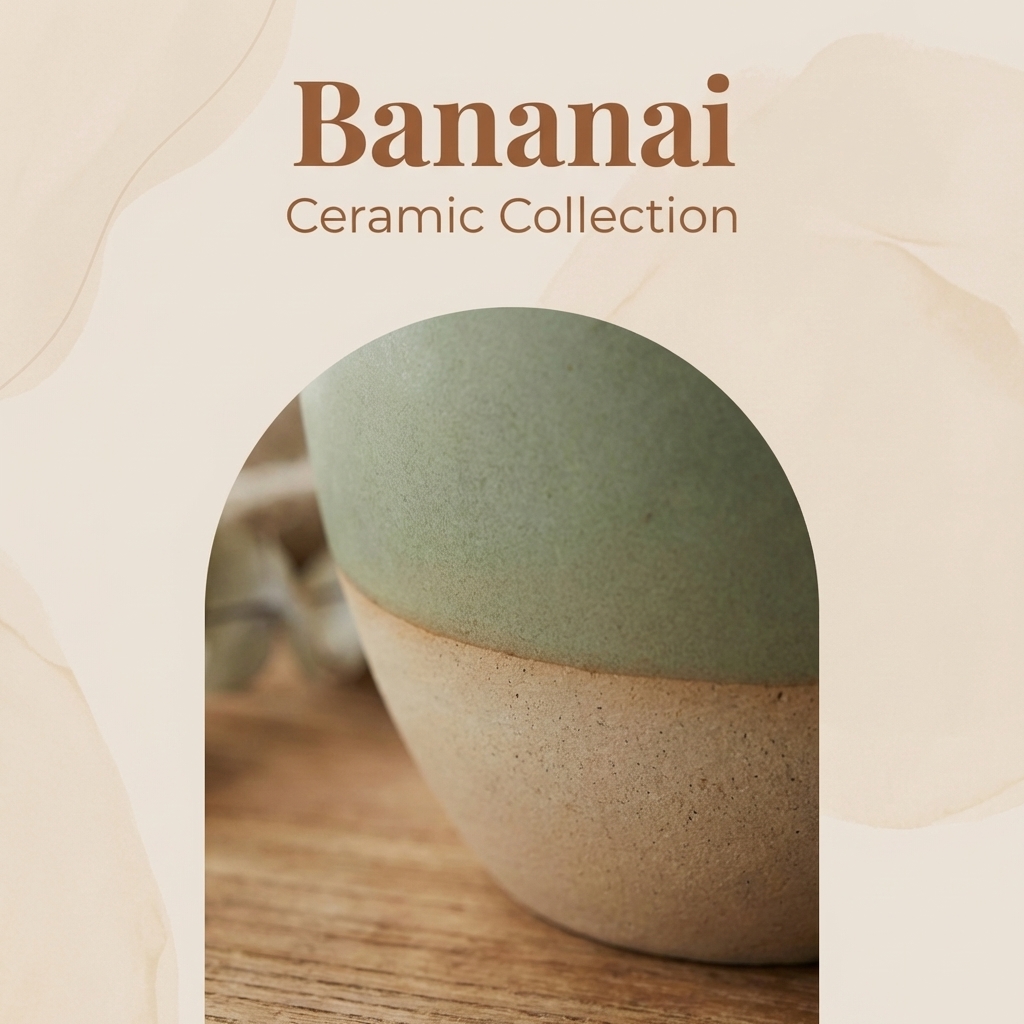
Type 6: Collection Banner
Aspect ratio: 16:9 (2560×1440) | References: Attach 01-hero
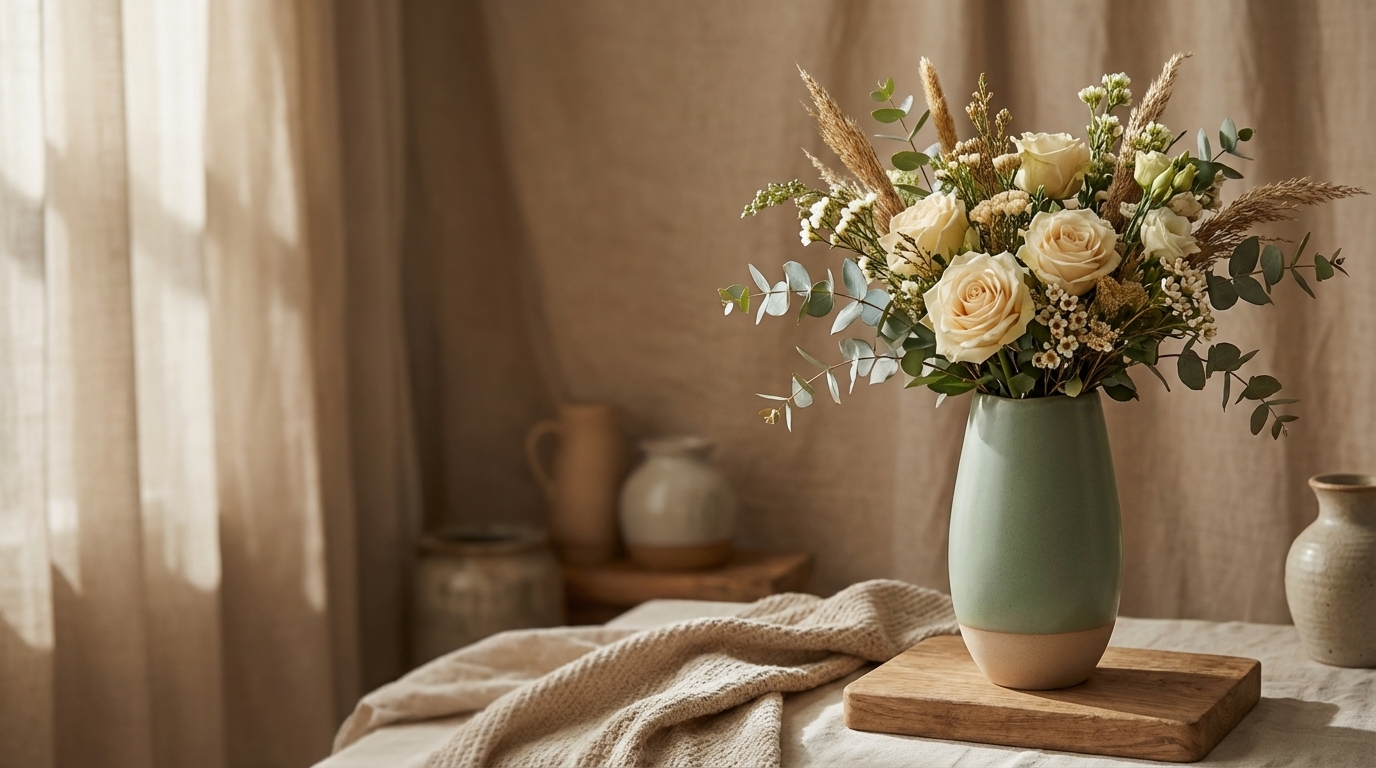
Collection banners and homepage hero sections are where your store makes its first brand impression. The wide 16:9 format demands a different compositional approach than product detail images — intentional negative space on one side of the frame where you’ll overlay your store’s own headline copy and CTAs. Generate the image with that negative space built in rather than trying to add it later.
Using the attached image as the exact product to feature — maintain its identical appearance. Create a wide cinematic banner image for a Shopify collection page. Place the product on one side of the frame (left or right third), leaving generous negative space on the opposite side for text overlay. Use [store aesthetic — e.g., "warm golden hour light, real home interior, earthy cream tones, rustic props"] visual style. [Atmosphere — e.g., "cinematic editorial feel, dramatic but brand-aligned lighting, magazine ad quality rather than product catalog"].
The collection banner is deliberately minimal on text — your store will overlay its own copy. The generated image should feel like a magazine ad: mood, atmosphere, and brand identity communicated purely through visual composition.
“Steal Their Vibe”: Recreating Top Shopify Store Aesthetics
The most common question from Shopify sellers trying AI shopify product photography for the first time: “How do I know what visual style to aim for?”
The answer is Commerce Cream — a curated directory of top-performing Shopify stores organized by industry. It’s the fastest way to identify the visual language of your category and reverse-engineer a prompt strategy that matches it.
The workflow: find a store in your category whose aesthetic matches your brand aspirations → identify the visual formula → translate it into prompt keywords → generate your own product images in that style.
Here are three styles worth stealing, with the prompt keywords that unlock each one.
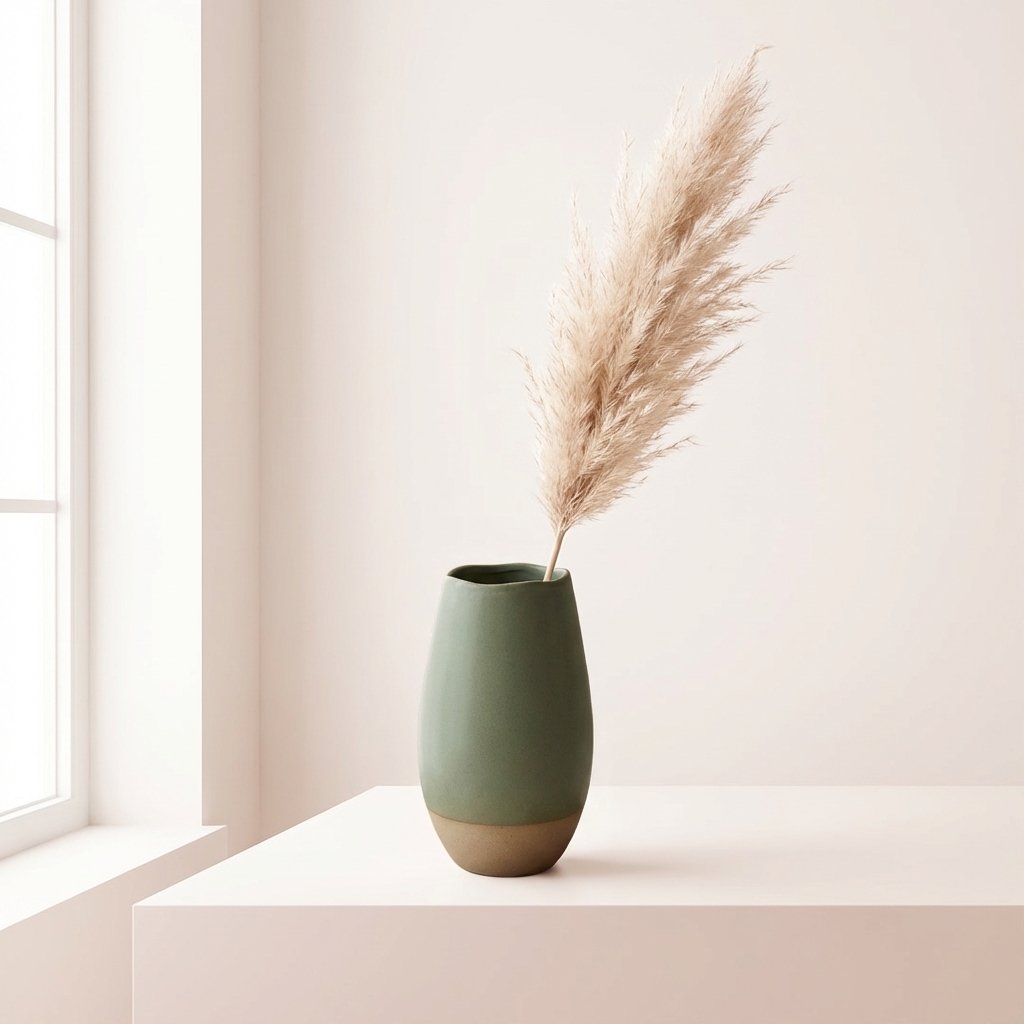
Style 1: Glossier Minimalism — The Clean Beauty Formula
Glossier’s visual language defined DTC beauty aesthetics for an entire decade. The formula is deceptively simple: diffused natural light, cream-white backgrounds, pastel blush tones, generous negative space. The product is always the hero, and every compositional choice serves to say “pure, uncomplicated, effortlessly good.”
This style works for: beauty, skincare, wellness, supplements, clean home goods.
Prompt keywords to use:
soft diffused light, cream white background, minimalist beauty, pastel blush tone, clean product shot, airy composition, dewy texture, generous negative space, lifestyle simplicity, fresh clean brightness
Style 2: Magnolia Warm Narrative — The Lifestyle Home Formula
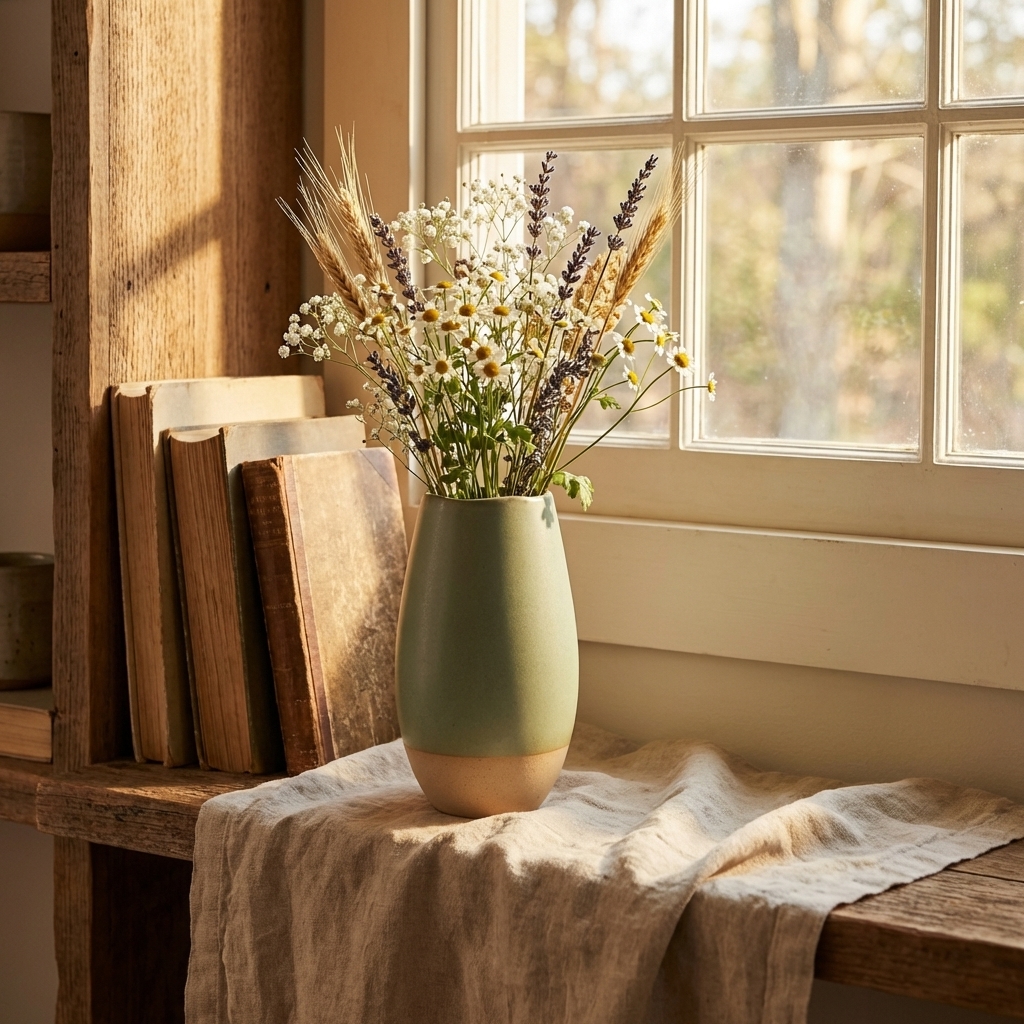
Magnolia’s visual language is built on emotional resonance: warm golden light, real home settings, earthy cream-and-brown palettes, linen and wood textures. Nothing feels staged. Everything feels inhabited. The product is embedded in a life you want to be living.
This style works for: home decor, candles, food and beverage, artisan goods, gifts, anything with a story to tell.
Prompt keywords to use:
warm golden hour light, real home setting, earthy cream tones, lifestyle wide shot, linen texture, rustic props, cozy atmosphere, narrative composition, warm natural light, tactile wood grain
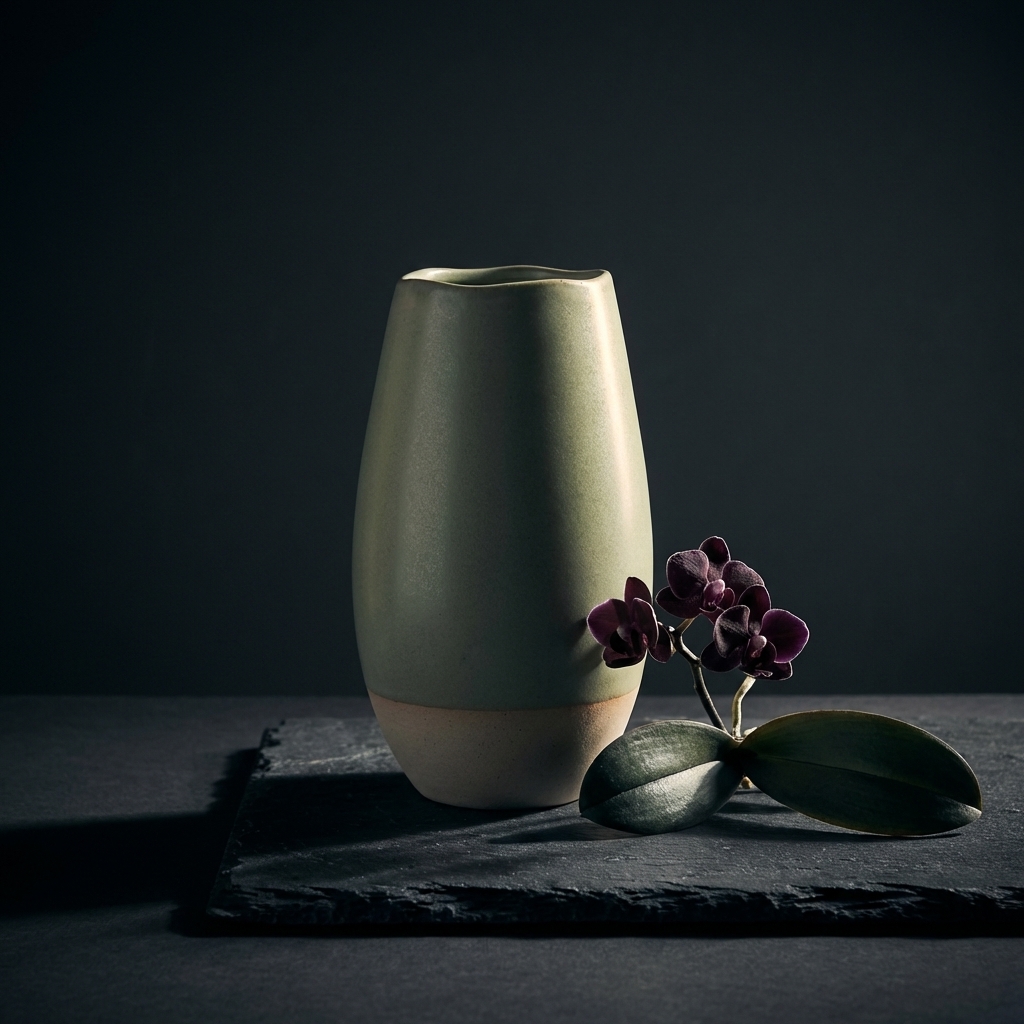
Style 3: Dark Moody Editorial — The High-Contrast Premium Formula
The dark moody aesthetic has expanded far beyond tech and gaming. Deep charcoal and slate backgrounds, dramatic side or rim lighting, high contrast — this visual language communicates luxury, precision, and premium positioning. It’s the “editorial magazine” look applied to product photography.
This style works for: premium consumer electronics, specialty food and drink (coffee, spirits), high-end beauty tools, anything you want to position at the upper end of your category.
Prompt keywords to use:
dark charcoal background, dramatic side rim light, high contrast, moody atmosphere, editorial style, dark slate tabletop, metallic sheen, bold color contrast, curated props, cinematic lighting
Applying the Vibe to Your Hero Shot
Once you’ve identified the aesthetic you’re targeting, translate it directly into the [store aesthetic] and [scene style] variables in your Type 1 Hero Shot prompt. The Commerce Cream keyword sets above map directly to the {store_aesthetic} variable in the prompt templates.
To see the full impact of this technique, compare the starting point — a flat, generic supplier-style photo with no atmosphere, no branding, and no lifestyle context — with the styled results above:
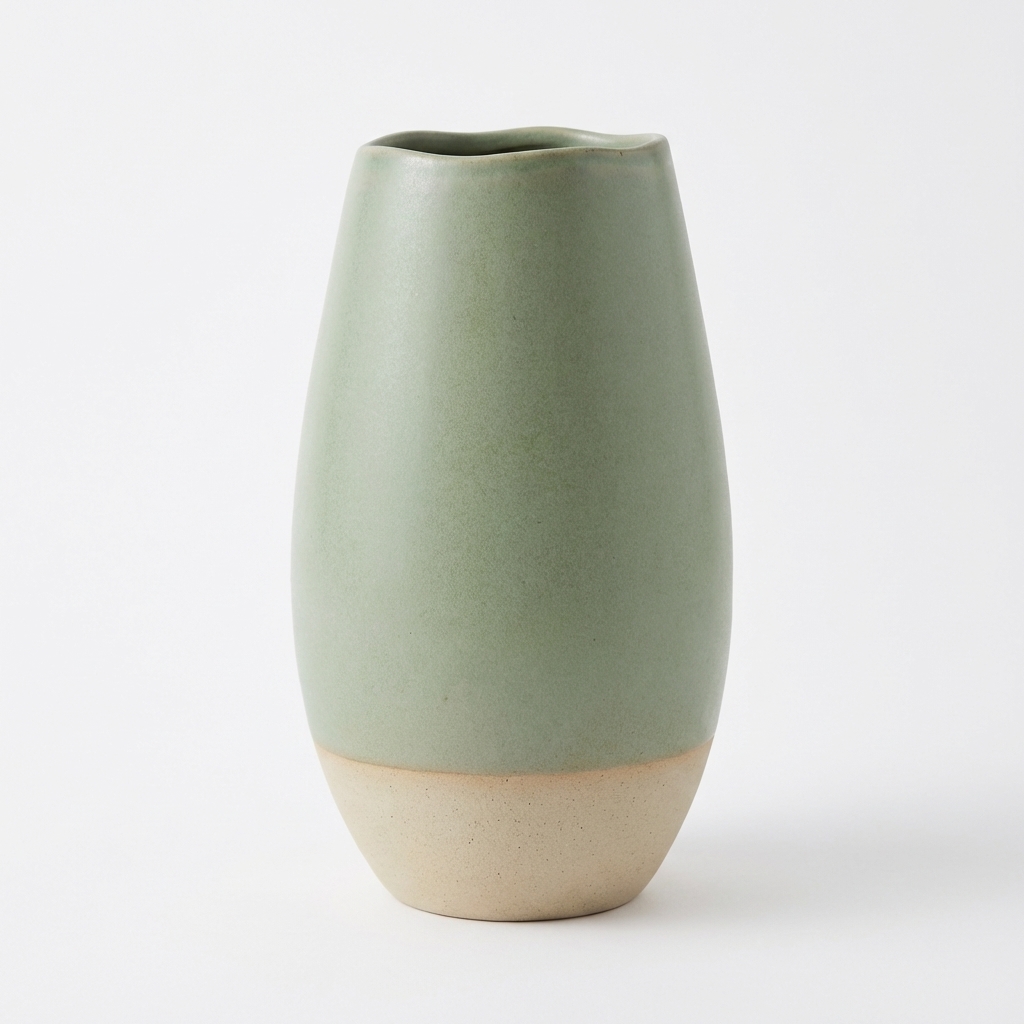
This is the kind of image most dropshippers and new Shopify sellers start with — pulled straight from their Alibaba or AliExpress supplier page. It’s technically accurate, but it communicates nothing about your brand, your audience, or the lifestyle your product enables. The three “After” images above show what happens when you apply a top-tier visual identity to the exact same product using Nano Banana Pro’s reference image technique.
A/B Test Your Way to Winning Creatives
Getting a technically good product image is the baseline. Finding the highest-converting creative is where AI shopify product photography creates real ROI — not just cost savings, but revenue.
The traditional photoshoot model makes A/B testing expensive: you need to book another session, brief another photographer, and wait another two weeks to test a different background. With Nano Banana Pro, you can generate three variations of a lifestyle scene in the same session and put all three into market simultaneously.
The Three-Variant Method
Generate your hero shot once, then create three lifestyle variations by changing only the setting and atmosphere:
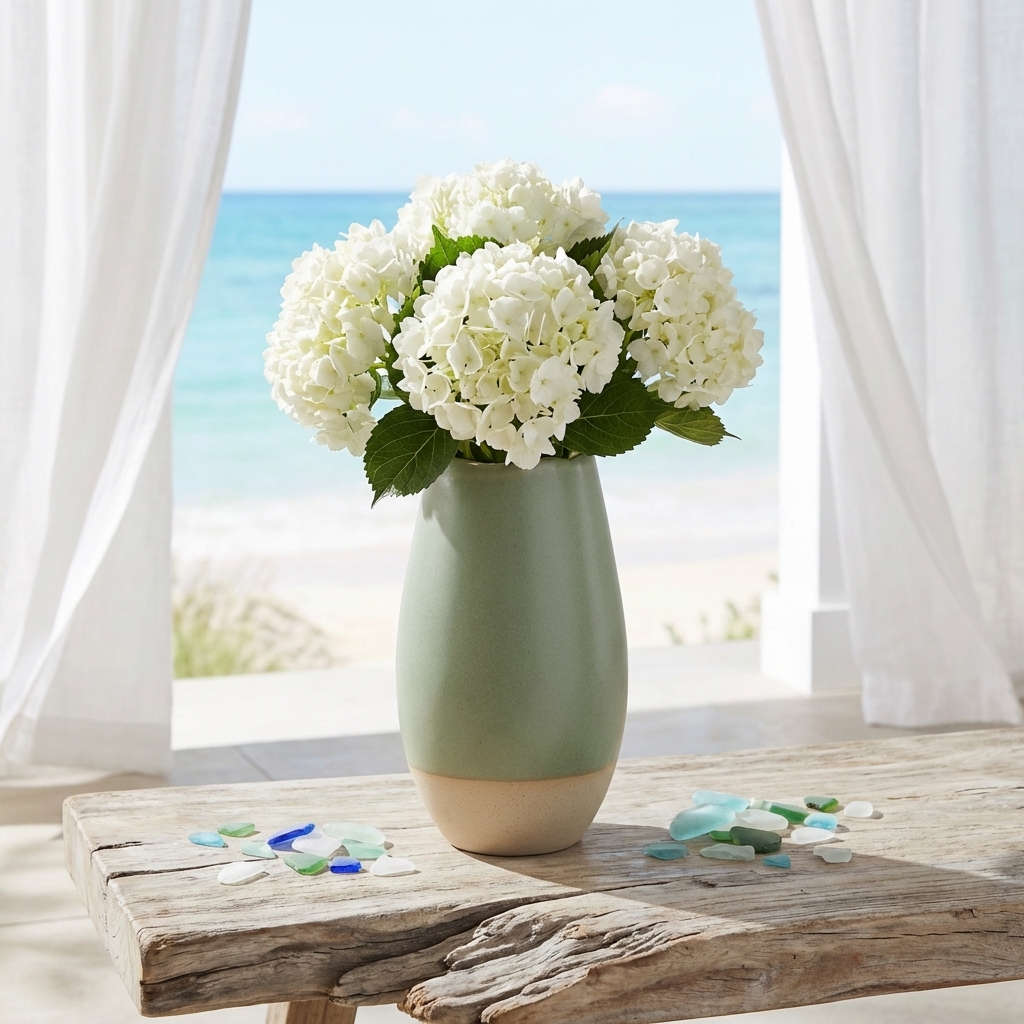
Variant A — Beach / Outdoor
Using the attached image as the exact product to feature — maintain its identical appearance. Create a lifestyle image for a Shopify store showing this product in a bright outdoor beach setting — sandy surface, soft ocean light, casual summer atmosphere. The product is [size], [scale reference]. Warm coastal tones, natural light, relaxed lifestyle energy.
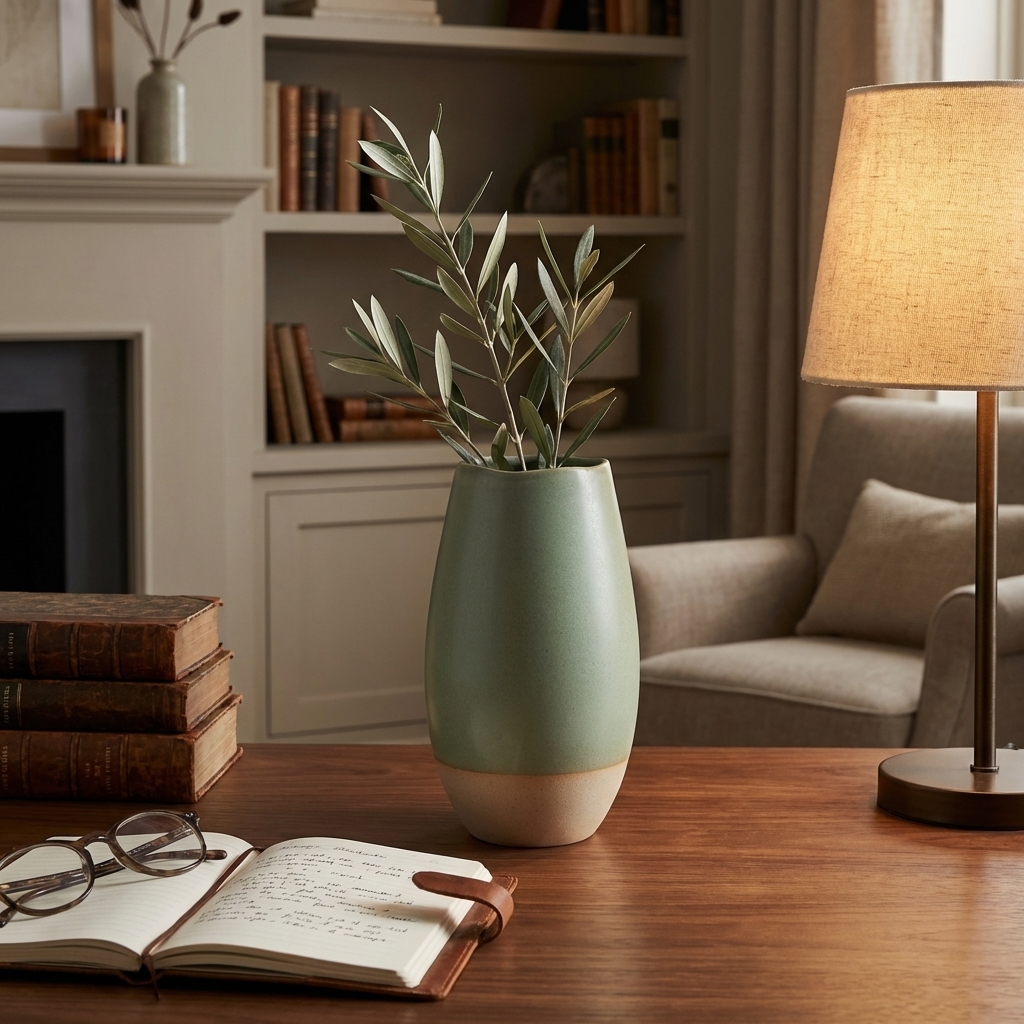
Variant B — Study / Workspace
Using the attached image as the exact product to feature — maintain its identical appearance. Create a lifestyle image for a Shopify store showing this product on a clean, organized desk workspace — minimal clutter, natural side window light, professional productive atmosphere. The product is [size], [scale reference]. Cool neutral tones, focused modern energy.
Variant C — Bathroom / Spa
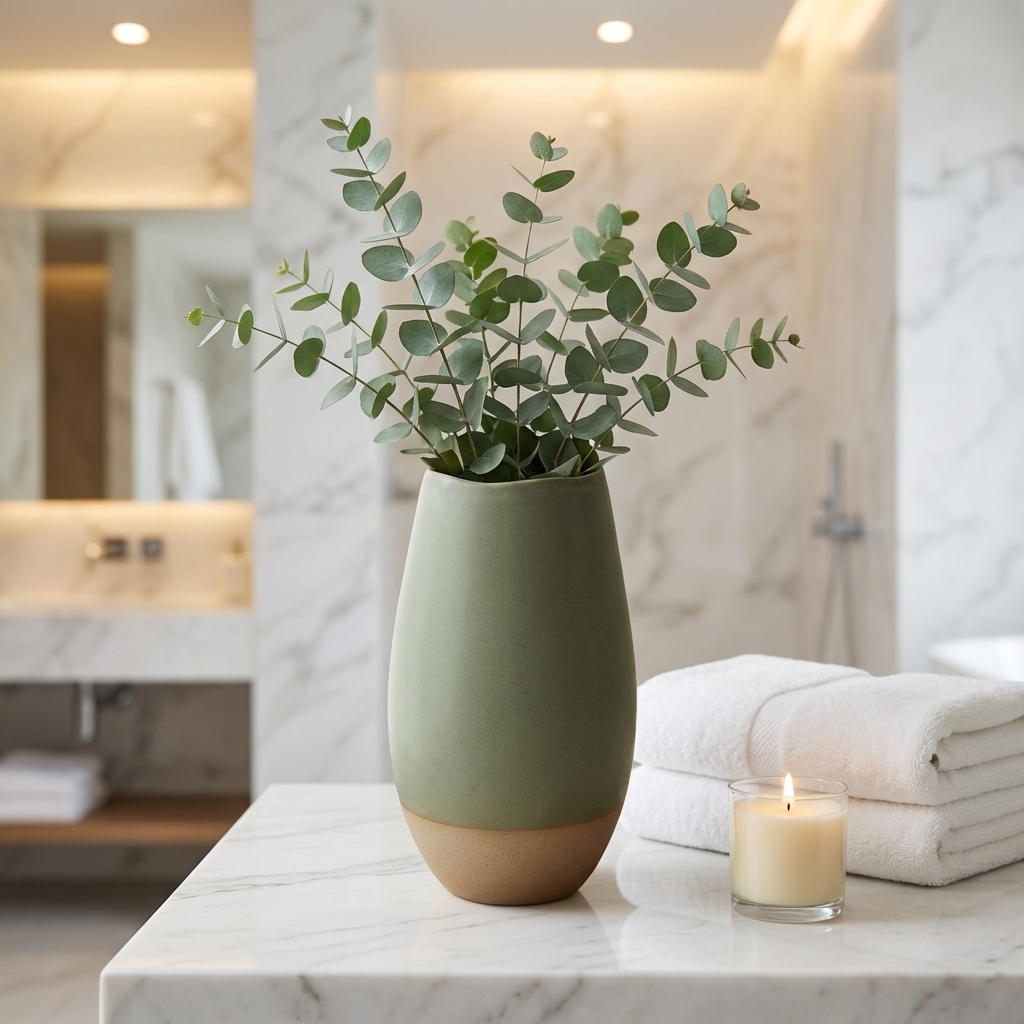
Using the attached image as the exact product to feature — maintain its identical appearance. Create a lifestyle image for a Shopify store showing this product in a bright, clean bathroom or spa setting — white marble surface, fresh towels, morning light through frosted glass. The product is [size], [scale reference]. Clean fresh tones, wellness atmosphere.
Running the Test
Upload all three images to Facebook Ads Manager as separate ad creatives within the same ad set. Use the same copy for all three, keep the budget equal, and let the platform run for 3-5 days before reading results. The creative with the highest CTR (click-through rate) and lowest CPC wins — that image becomes your primary Shopify hero and your next batch of paid social creative.
Most sellers are surprised by which setting wins. The beach background that seemed too casual often outperforms the “safe” white background for lifestyle-oriented categories. The data almost always challenges assumptions.
This moves ai ecommerce product photography from a cost-reduction tool to a CRO tool — and that reframe is worth more than any dollar amount you save on photoshoots.
Get Your First 2 Product Photos Free — Without a $1,000 Photoshoot
A complete shopify product photography set — hero shot, lifestyle scene, feature callout, size reference, mobile square, collection banner — all optimized to the correct shopify product image size for each placement — used to mean scheduling a studio, briefing a photographer, waiting two weeks for edited files, and spending $500-1,000 minimum for a single product. For a store launching with 10 SKUs, that’s a $5,000-10,000 line item before you’ve tested whether the item sells.
Nano Banana Pro compresses that entire workflow into a morning. The six prompt templates in this guide have been tested across multiple product categories and produce commercially viable, brand-consistent results without a camera, a studio, or a stylist.
New accounts get 10 free credits — that’s enough for 2 Nano Banana base model generations or 1 Nano Banana Pro generation. No credit card required. Use those free credits to generate your hero shot and your first lifestyle image — the two highest-impact images in the set — and see what the output looks like for your specific product before you commit to anything.
To start now, head to Banana AI’s chat interface and paste in your first hero shot prompt. Attach your product photos, describe your brand aesthetic, and let the reference chain workflow handle the rest.
For a full library of ready-to-use Shopify prompt templates organized by product category — including pre-filled visual anchor descriptions, typography instructions, and atmosphere keywords for each style — visit our Banana Prompts.
The hero shot is waiting. Your shopify product photography deserves better than Alibaba stock photos.